

· Johannes Millan · 8 min read
Best Todoist Alternatives for Developers in 2025
Developers have specific needs when it comes to task management. You want keyboard-driven workflows, integration with your issue trackers, local-first options for privacy, and APIs that let you automate everything. The right tool depends on how you work.
Most “best task app” articles evaluate tools for general users. This one is different. We’re judging Todoist alternatives through a developer lens – focusing on what actually matters for coding workflows.
For a broader look at how task management fits into your workflow, check out our Developer Productivity Hub. You can also explore direct comparisons on our Compare page.
How We Evaluated These Tools
We looked at both core task management features and developer-specific capabilities:
Core Features:
- Task organization (subtasks, projects, tags/labels, priorities)
- Recurring tasks and flexible repeat patterns
- Due dates and reminders
Developer-Specific:
- Keyboard-first design – can you navigate without touching the mouse?
- Git/GitHub/GitLab integration
- Full Markdown support in descriptions and notes
- Local-first option – does your data stay on your machine?
- API and automation capabilities
General:
- Distraction-free design that respects focus
- Pricing for individual developers
The 7 Best Todoist Alternatives for Developers
1. Super Productivity
Best for: Privacy-conscious developers who want issue tracker integration
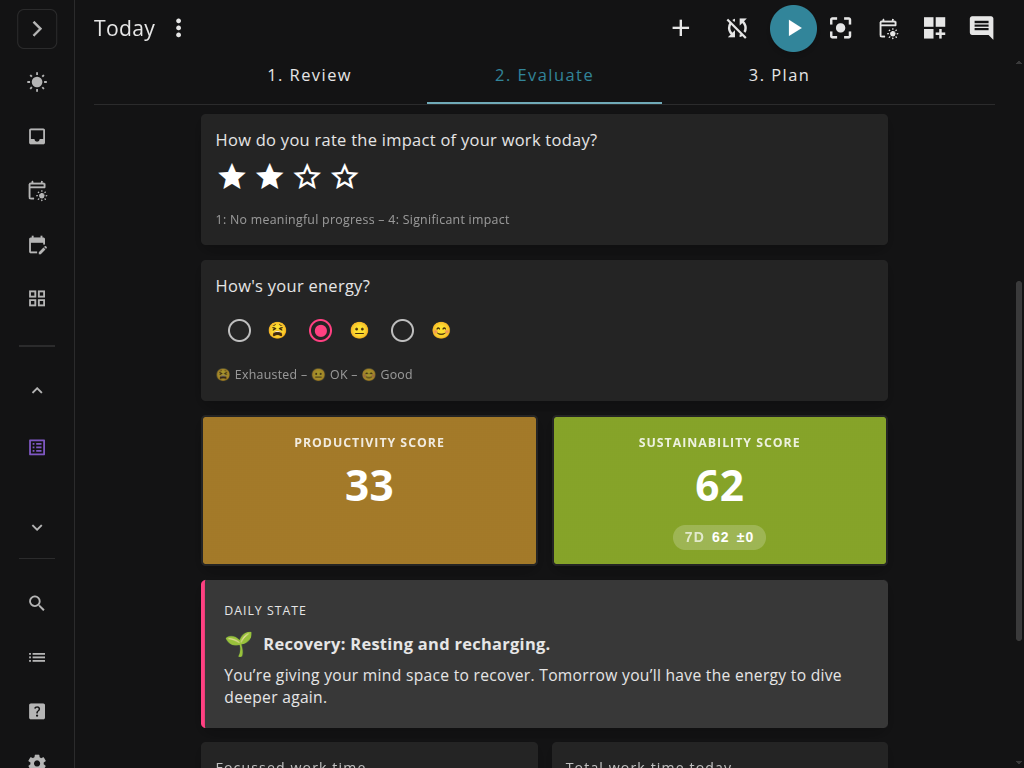
Super Productivity is an open-source task manager built by a developer, for developers. It’s completely local-first – your data never leaves your machine unless you explicitly set up sync.
What makes it stand out:
- Native integration with Jira, GitHub, GitLab, Gitea, and OpenProject
- Built-in Pomodoro timer and time tracking
- Timeboxing with calendar integration
- Full keyboard shortcuts throughout
- Plugin system with automations support
- Free and open-source (MIT license)
Core features: Projects, tags, subtasks, priorities, recurring tasks, due dates with reminders. The task organization is solid without being overwhelming.
Developer features: This is where Super Productivity shines. Pull in issues from Jira, GitHub, or GitLab directly. Track time against tasks. The keyboard-first design means you rarely need the mouse. The plugin system lets you extend functionality – including an automations plugin for custom workflows. Local-first architecture means no accounts, no telemetry, and no cloud dependency.
Platform support: Linux, macOS, Windows, Android, and web. Native iOS app planned for early 2026.
Pricing: Free. Forever. It’s open-source.
The catch: No native iOS app yet – iPhone users need to use the web app for now. A native iOS app is planned for early 2026. Android and desktop are fully supported.
2. Linear
Best for: Small dev teams wanting a fast, keyboard-driven alternative to Jira
Linear has earned a cult following among developers for one simple reason: speed. Everything feels instant. The keyboard shortcuts are extensive, and the design is minimal but beautiful.
What makes it stand out:
- Keyboard-first design that rivals Vim
- Built for software teams (issues, cycles, roadmaps)
- GitHub and GitLab integration
- Automatic issue linking from commits and PRs
Core features: Issues (their term for tasks), projects, labels, priorities, due dates. Linear thinks in terms of “cycles” (sprints) which may or may not fit your workflow.
Developer features: Strong GitHub/GitLab integration. Excellent API. The keyboard shortcuts are comprehensive – you can do almost everything without touching the mouse.
Platform support: Web app, macOS, Windows, iOS, Android. No native Linux app (use web browser).
Pricing: Free tier allows up to 250 active issues. Paid plans start at $8/user/month (or $6.40 annually). Startups can get up to 6 months free.
The catch: Linear is designed for teams. If you’re a solo developer, it might feel like overkill. And it’s cloud-only – no local-first option.
3. TickTick
Best for: Developers who want a full-featured Todoist replacement with habit tracking
TickTick is probably the closest direct competitor to Todoist in terms of features and polish. But it adds things developers might appreciate: a built-in Pomodoro timer, habit tracking, and better calendar integration.
What makes it stand out:
- Cross-platform with excellent apps everywhere
- Built-in Pomodoro timer
- Habit tracking alongside tasks
- Natural language date parsing (“tomorrow 2pm”)
- Calendar view that actually works
Core features: Lists, folders, tags, priorities, subtasks, recurring tasks, reminders. Everything you’d expect from a mature task manager.
Developer features: Decent Markdown support. Good API for automation. Integrates with Zapier and other automation tools. However, no native Git integration.
Platform support: Android, iOS, Mac, Windows, Web, Apple Watch, browser extensions.
Pricing: Free tier with limits (9 lists, 99 tasks per list). Premium is $35.99/year (or $3.99/month) – cheaper than Todoist.
The catch: No Git integration. Cloud-based only. If privacy and local-first are important, look elsewhere.
4. Things 3
Best for: Mac developers who want elegant simplicity
Things 3 is beloved by Apple users for its beautiful design and thoughtful UX. It’s opinionated in the best way – it doesn’t try to do everything, but what it does, it does exceptionally well.
What makes it stand out:
- One of the most polished task management UIs ever made
- Excellent keyboard shortcuts
- One-time purchase (no subscription)
- Native Apple ecosystem integration
- Thoughtful implementation of GTD principles
Core features: Projects, areas, tags, headings, checklists, due dates, reminders, recurring tasks. The “Today” and “Upcoming” views are particularly well-designed.
Developer features: Great keyboard shortcuts. Markdown in notes. Apple Shortcuts integration and URL scheme for automation. However, no REST API, no third-party integrations, and no collaboration features.
Platform support: Mac ($49.99), iPhone/Watch ($9.99), iPad ($19.99). No Windows, no Android, no web app.
Pricing: One-time purchase. About $80 for the full suite across all Apple devices. Family Sharing supported.
The catch: Apple-only. No third-party integrations (though Shortcuts and URL scheme enable some automation). If you need GitHub sync or cross-platform support, Things isn’t for you. But if you’re all-in on Apple and want the best-designed task app available, it’s hard to beat.
5. Obsidian Tasks
Best for: Developers already using Obsidian for notes and PKM
Obsidian Tasks isn’t a standalone app – it’s a plugin for Obsidian, the popular Markdown-based note-taking app. If you’re already using Obsidian, adding Tasks gives you task management without leaving your knowledge base.
What makes it stand out:
- Tasks live in your Markdown notes
- Incredibly customizable via queries
- Local-first (all data is Markdown files on your machine)
- Integrates with your existing Obsidian workflow
- Free (Obsidian itself is free for personal use)
Core features: Due dates, scheduled dates, priorities, recurring tasks, tags. Tasks are just Markdown checkboxes with special syntax.
Developer features: Everything is plain Markdown files. Git-friendly. Scriptable. Query your tasks using a custom query language. Combine with Dataview for advanced views.
Platform support: Obsidian runs on Mac, Windows, Linux, iOS, and Android.
Pricing: Obsidian is free for personal use. Sync ($4/month) and Publish ($8/month) are optional paid features.
The catch: Steep learning curve if you’re not already using Obsidian. Not a traditional task manager – you need to embrace the Markdown-everything philosophy. Best for people who want tasks integrated into their notes, not a standalone tool.
6. Microsoft To Do
Best for: Developers in Microsoft shops who want something simple and free
Microsoft To Do is the successor to Wunderlist (which Microsoft acquired). It’s simple, free, and integrates well with the Microsoft 365 ecosystem.
What makes it stand out:
- Completely free
- Clean, simple interface
- Outlook integration
- “My Day” feature for daily planning
- Available everywhere
Core features: Lists, tasks, subtasks, due dates, reminders, recurring tasks, file attachments. Basic but covers the essentials.
Developer features: Limited. There’s an API through Microsoft Graph, but no Git integration or Markdown support. Keyboard shortcuts exist but are basic.
Platform support: Windows, Mac, iOS, Android, web.
Pricing: Free.
The catch: Very basic. No Markdown. Limited keyboard shortcuts. Microsoft account required. If you want power features, look elsewhere. But if you want something simple that works and costs nothing, it does the job.
7. Any.do
Best for: Developers who want simplicity over power features
Any.do is a clean, cross-platform task manager with a focus on simplicity. It won’t overwhelm you with features, which might be exactly what you want.
What makes it stand out:
- Very clean, minimal interface
- Good calendar integration
- Cross-platform with solid apps
- Voice input for quick capture
Core features: Lists, tasks, subtasks, due dates, reminders, recurring tasks (premium), location-based reminders (premium).
Developer features: Minimal. Zapier integration on premium. No Git integration. No Markdown. Basic keyboard navigation.
Platform support: iOS, Android, Mac, Windows, web, browser extensions.
Pricing: Free tier is limited. Premium is $4.99/month (annual) or $7.99/month. 14-day trial available.
The catch: Most useful features require premium. No developer-specific features. If you want integrations or automation, this isn’t the tool.
Quick Comparison Table
| Tool | Local-First | Git Integration | Keyboard-First | Price |
|---|---|---|---|---|
| Super Productivity | Yes | GitHub, GitLab, Jira | Yes | Free |
| Linear | No | GitHub, GitLab | Yes | Free–$8/user/mo |
| TickTick | No | No | Partial | Free–$36/year |
| Things 3 | Yes | No | Yes | ~$80 one-time |
| Obsidian Tasks | Yes | Via files | Yes | Free |
| Microsoft To Do | No | No | Basic | Free |
| Any.do | No | No | Basic | Free–$60/year |
Our Recommendations
Best overall for developers: Super Productivity. It’s free, local-first, and has the integrations developers actually need (GitHub, GitLab, Jira). The time tracking and Pomodoro features are bonuses.
Best for teams: Linear. If you’re working with other developers and want something fast and keyboard-driven, Linear is hard to beat.
Best for Apple users: Things 3. If you’re fully in the Apple ecosystem and value beautiful design, Things is worth the one-time cost.
Best for PKM enthusiasts: Obsidian Tasks. If you’re already using Obsidian, adding tasks to your notes is natural and powerful.
Best free option: Super Productivity or Microsoft To Do, depending on whether you prioritize features (Super Productivity) or simplicity (Microsoft To Do).
Final Thoughts
The “best” Todoist alternative depends entirely on what you value. Developers have needs that generic task apps don’t address – keyboard-driven workflows, issue tracker integration, and local-first privacy.
If any of these resonated with you, give them a try. Most have free tiers or trials. And if you want to see how Super Productivity compares to specific tools, check out our detailed comparisons: Todoist vs Super Productivity, TickTick vs Super Productivity, or Notion vs Super Productivity.
For more on building a productive developer workflow, explore our Developer Productivity Hub.
Related resources
Keep exploring the topic
Developer Productivity Hub
Templates, focus rituals, and automation ideas for shipping features without burning out.
Read moreBest To-Do Apps for Developers in 2025
A practical comparison of Super Productivity, Obsidian, Taskwarrior, Linear, Todoist, Trello, and other developer-focused to-do apps with the integrations and workflows that matter.
Read moreOpen-Source Productivity Apps in 2025
A fact-based comparison of leading open-source productivity tools – including Super Productivity, Vikunja, Joplin, Taskwarrior, Trilium Next, OpenProject, Nextcloud Tasks, Planify, Organice, and todo.txt – focusing on privacy, integrations, and platform support.
Read moreStay in flow with Super Productivity
Plan deep work sessions, track time effortlessly, and manage every issue with the open-source task manager built for focus. Concerned about data ownership? Read about our privacy-first approach.

About the Author
Johannes is the creator of Super Productivity. As a developer himself, he built the tool he needed to manage complex projects and maintain flow state. He writes about productivity, open source, and developer wellbeing.