


Pomodoro for Developers: Why 25 Minutes Doesn't Work
25 minutes isn't always enough for complex algorithms. Learn how to adapt the Pomodoro technique for software development using Super Productivity's flexible timer settings.
Pomodoro Timer Built Into Your Task Manager
Most Pomodoro apps are just a countdown clock. Super Productivity connects your timer to real tasks – so every session is tracked, every break is earned, and every minute counts toward something concrete. Free, open-source, and works offline. No account required.

Beyond a Simple Timer
A countdown is easy to build. What's hard is connecting focus sessions to real work, tracking where your time actually goes, and adapting intervals to how you work – not a rigid 25-minute rule.
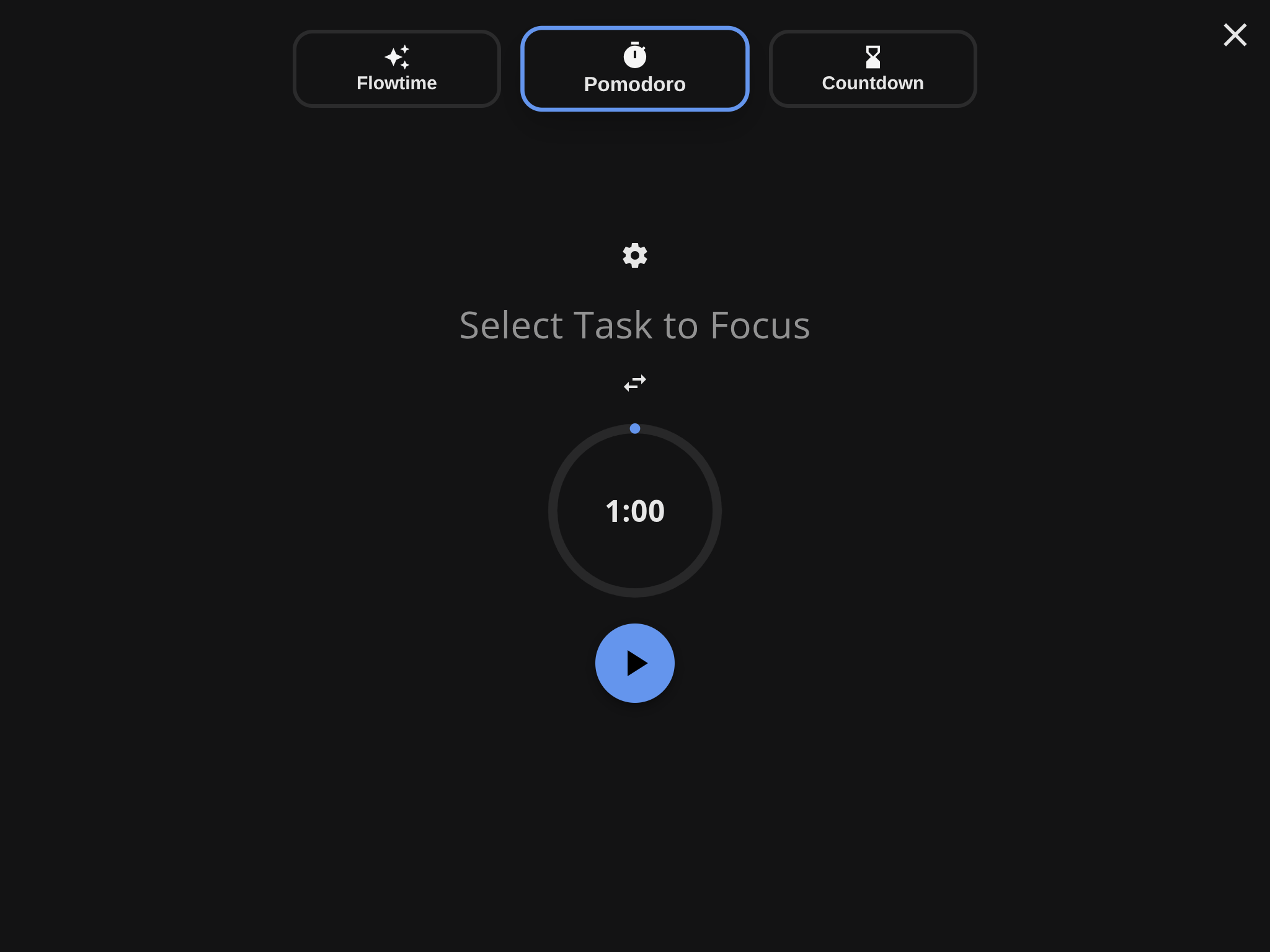
Select a task from your list and start a Pomodoro session. The timer is linked to the task, so time is tracked automatically – no manual logging.
Enter focus mode to hide everything except your current task and the timer. When the session ends, you get a break reminder – not a jarring alarm.
After each session, your time is logged against the task. At the end of the day, see exactly how many focused sessions you completed and where your time went.
The Pomodoro Technique breaks work into focused intervals (traditionally 25 minutes) separated by short breaks. It's one of the most popular time boxing methods. Read our guide on adapting Pomodoro for developers to learn why flexible intervals often work better than the strict 25-minute rule.
Flexible by Design
Standard Pomodoro is 25/5. But not every task fits a 25-minute box. Customize intervals to match your work style.
Research shows that developers often need longer focus blocks to reach flow state. Super Productivity lets you set the interval that works for your type of work – from quick admin tasks to deep coding sessions.
Adjustable Focus Intervals
Set 25-minute Pomodoro sessions, 50-minute deep work blocks, or anything in between. The timer adapts to you – not the other way around.
Smart Break Reminders
Configurable short and long break durations. The app reminds you to rest so you can sustain focus across the full workday.
Session Counter
Track how many focus sessions you complete each day. Build streaks and understand your actual capacity over time.
Flow Protection
In the zone? Skip the break or extend your session. The timer serves you – it never forces you to stop when you're making progress.
Everything you need to focus, track, and improve – in one app
Built-In Task Management
Your Pomodoro timer is connected to a full task list. No switching between a timer app and a separate to-do list.
Automatic Time Tracking
Every Pomodoro session logs time against the active task. See estimated vs. actual time without manual entry.
Focus Mode
Full-screen distraction-free view shows only your current task and the timer. Everything else disappears.
Jira & GitHub Integration
Import tasks from Jira, GitHub, or GitLab. Run Pomodoro sessions against real tickets and sync progress back.
Works Offline
No internet needed. No account needed. Your data stays on your device. The timer works even without connectivity.
Cross-Platform
Available on Windows, macOS, Linux, Android, and as a web app. Your workflow travels with you.
From the Community
“I tried standalone Pomodoro apps but always forgot to log what I worked on. Having the timer built into my task manager means everything is tracked automatically.”
Daniel Kim
Full-Stack Developer
“The flexible timer is key. 25 minutes is useless when I'm deep in a complex merge conflict. I use 50-minute sessions for coding and 25 for emails and admin.”
Lisa Martinez
DevOps Engineer
“Focus mode plus the Pomodoro timer is the only thing that keeps me on track with ADHD. Seeing the countdown and knowing exactly what I should be working on makes all the difference.”
Alex Petrov
Frontend Developer
Stay in the Zone
Distraction-free full-screen view designed for sustained concentration.
Focus mode removes everything that isn't your current task. Combined with the Pomodoro timer, it creates a structured, distraction-free environment for deep work.
Full-Screen Timer
Your current task and countdown fill the screen. No sidebar, no notifications, no temptation to check other tasks.
Task Context Always Visible
See your task title, notes, and subtasks alongside the timer. No need to switch windows to remember what you're doing.
Gentle Session Transitions
When a session ends, a non-intrusive notification lets you choose: take a break, continue working, or switch tasks.
FAQs
Common questions about the Pomodoro technique and how it works in Super Productivity.
The Pomodoro Technique is a time management method where you work in focused intervals (traditionally 25 minutes) separated by short breaks (5 minutes). After four sessions, you take a longer break (15–30 minutes). It helps maintain focus and prevents burnout.
Yes. Super Productivity is completely free and open-source. There are no premium tiers, no feature limits, and no account required. The Pomodoro timer, focus mode, task management, and time tracking are all included at no cost.
Yes. You can customize the focus interval, short break, and long break durations. Many developers prefer longer sessions (45–90 minutes) for deep coding work. You can adjust these in the app settings.
When you start a Pomodoro session, it runs against your currently active task. Time is automatically logged to that task. At the end of the day, you can see exactly how many focused sessions you spent on each task.
Yes. Super Productivity works entirely offline. Your timer, tasks, and time logs are stored locally on your device. No internet connection or cloud account is needed.
Yes. Import tasks from Jira, GitHub, or GitLab directly into Super Productivity. Then run Pomodoro sessions against those tickets. Time tracking data stays linked to the original issue.
The Pomodoro Technique is a specific form of time boxing with fixed 25-minute intervals. Time boxing is the broader concept of allocating a set duration to any task. Super Productivity supports both – use strict Pomodoro cycles or create custom time boxes with the schedule view.
A Pomodoro timer that tracks your time, manages your tasks, and respects your privacy. Free forever. Open source. No account needed.
25 minutes isn't always enough for complex algorithms. Learn how to adapt the Pomodoro technique for software development using Super Productivity's flexible timer settings.

An HBR analysis rated timeboxing the most recommended of 100 productivity methods. Here's the science behind why fixed time limits work -- Parkinson's Law, time pressure psychology, and how to start today.

A practical guide to reaching flow while coding, protecting deep work blocks, and recovering quickly after interruptions.

Most deep work advice stops at 'turn off notifications.' This guide covers the neuroscience of sustained focus and the concrete daily systems that make distraction-free work a habit, not a wish.