Timeboxing: What It Is, Why It Works & How to Start
Discover the scientific research behind timeboxing and learn how to implement this powerful productivity technique using Super Productivity's intuitive short syntax.
Daily Schedule Planner & Day Timer
A schedule planner that turns your task list into a visual timeline. Drag tasks into time slots, track how long things actually take, and adjust on the fly when plans change. Free, open-source daily planner that works offline. No account required.

How It Works
Most schedule planners are just calendars. Super Productivity combines your task list with a visual timeline so you can plan, execute, and track in one place.
Create tasks or import them from Jira, GitHub, or GitLab. Set time estimates so the planner knows how much space each task needs in your day.
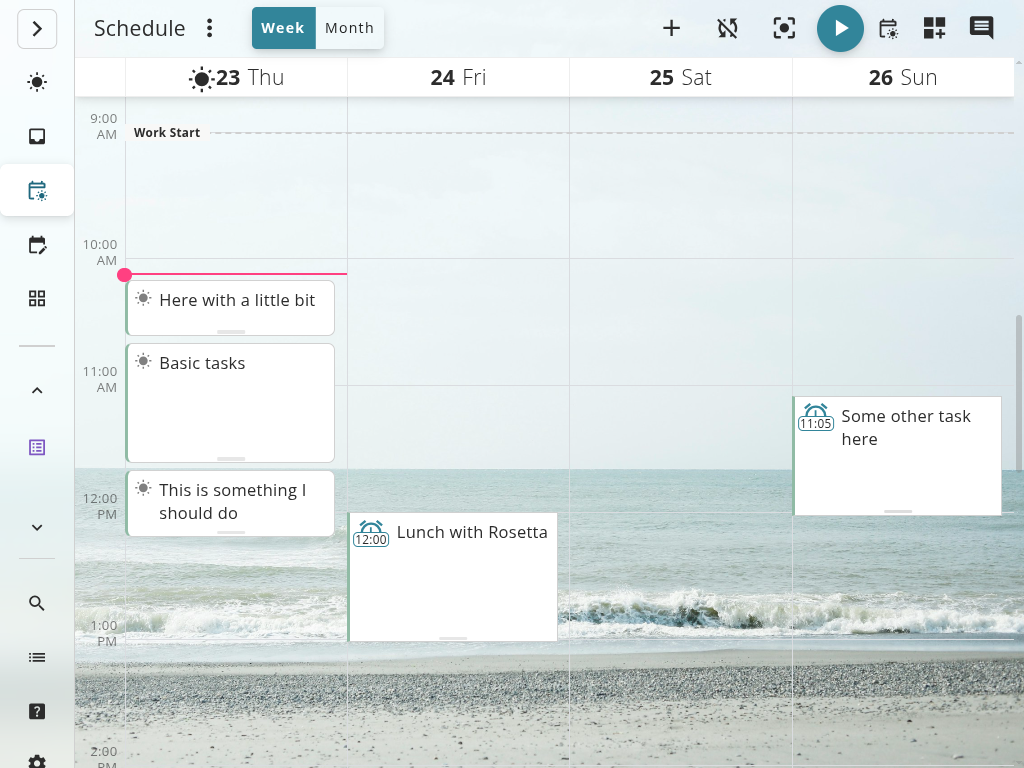
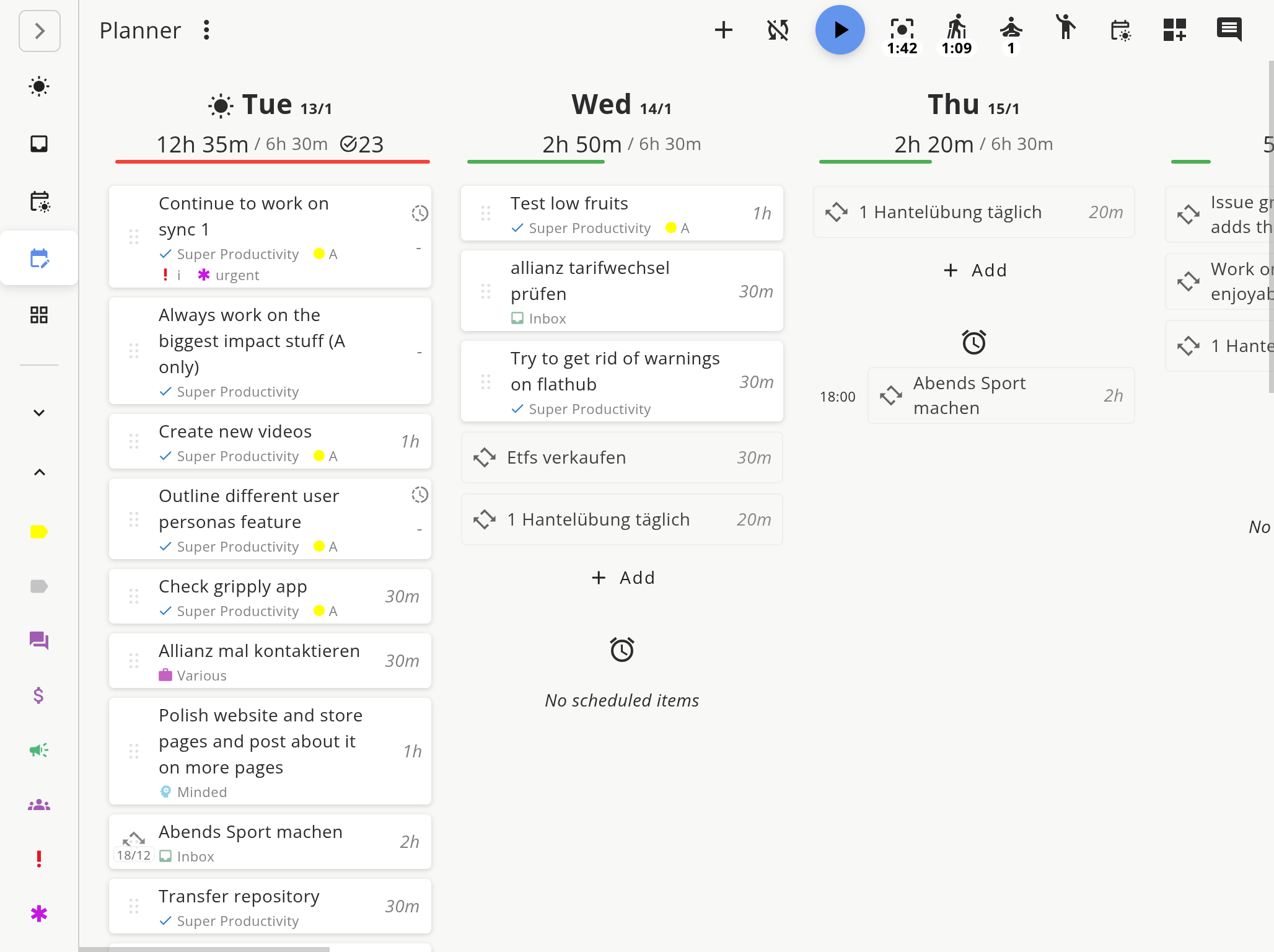
Drag tasks into the daily timeline. See at a glance whether you have enough hours for everything. The schedule view shows overload warnings before you overcommit.
Start the timer on each task. If something takes longer, drag to reschedule the rest. Your day stays organized even when plans change.
Unlike standalone calendar apps, Super Productivity connects your schedule directly to task management and time tracking. Every scheduled block is a real task with notes, subtasks, and logged time. For the method behind visual scheduling, read our time boxing guide.
Visual Day Planning
A timeline view that shows exactly what you planned, what you finished, and how much capacity remains.
A good daily plan is not rigid. It adapts. Super Productivity makes rescheduling as easy as dragging a block, so you stay organized without fighting your tools.
Drag-and-Drop Scheduling
Move tasks into time slots by dragging. Resize blocks to adjust duration. Rearrange your day in seconds when priorities shift.
Capacity Visualization
See how many hours you have available versus how much work is scheduled. Catch overcommitment before it happens.
Day and Week Views
Plan a single day in detail or zoom out to see your entire week. Switch between views to balance short-term execution with weekly goals.
Integrated Time Tracking
Start a timer directly from your schedule. Actual time is logged against the planned block so you learn how accurate your estimates are.
Everything you need to plan, execute, and improve your daily schedule
Task Estimates
Set time estimates for every task. The planner uses them to show realistic schedules and flag overloaded days.
Pomodoro & Focus Timer
Run focused sessions with built-in Pomodoro or custom timers. Time is tracked automatically against the scheduled task.
Break Reminders
Schedule breaks between tasks. The app reminds you to rest so you can sustain focus across the full workday.
Jira & GitHub Sync
Import tickets from Jira, GitHub, or GitLab directly into your daily schedule. No copy-pasting between tools.
Offline & Private
Your schedule and tasks stay on your device. No cloud account needed. Works without internet.
Cross-Platform
Available on Windows, macOS, Linux, Android, and as a web app. Your daily plan goes where you go.
From the Community
" I used to start every morning wondering what to work on first. Now I drag my tasks into the schedule the night before and hit the ground running. "
Rachel Wu
Product Designer
" The overload warning saved me from saying yes to too many things. Being able to see that I only have 2 hours of free capacity makes it easy to push back on last-minute requests. "
Kevin Okafor
Engineering Manager
" As a freelancer juggling multiple clients, having a visual schedule with time tracking built in means I always know where my day went. Invoicing at month-end takes minutes instead of hours. "
Sophie Laurent
Freelance Developer
Learn From Your Schedule
The gap between what you planned and what actually happened is where productivity improvements live.
Most schedule planners only show the future. Super Productivity also shows the past, so your planning gets better every week. For more on time awareness, see our time tracking & work analytics guide.
Estimated vs. Actual Time
Every task tracks both planned and actual time. Over weeks, you see patterns: which tasks you consistently underestimate, and which you overplan.
Daily Work Log
At the end of each day, review what you accomplished. The work log captures every task, every time entry, and every session.
Better Planning Over Time
Historical data makes future schedules more realistic. Stop guessing, start planning based on evidence from your own work.

FAQs
Common questions about daily planning and scheduling with Super Productivity.
Yes. Super Productivity is completely free and open-source. The schedule planner, task management, time tracking, and all other features are included at no cost. There are no premium tiers or feature locks.
Calendar apps show appointments. Super Productivity is a task-based schedule planner: you create tasks with time estimates, drag them into a visual timeline, and track actual time spent. It combines planning, execution, and analysis in one tool.
Yes. The week view lets you distribute tasks across multiple days. You can plan an entire week, then refine each day as it arrives. Unfinished tasks carry forward automatically.
Yes. Import tasks from Jira, GitHub, or GitLab. Schedule imported tickets alongside your personal tasks. Time tracking data stays linked to the original issue for easy reporting.
Yes. Super Productivity works entirely offline. Your schedule, tasks, and time logs are stored locally on your device. No internet connection or cloud account is required.
A schedule planner helps you map tasks to time slots in your day. Time boxing adds the constraint of a fixed duration per task. Super Productivity supports both: plan your day visually, then optionally set strict time boxes for individual tasks.
A schedule planner that connects to your tasks, tracks your time, and respects your privacy. Free forever. Open source. No account needed.
Discover the scientific research behind timeboxing and learn how to implement this powerful productivity technique using Super Productivity's intuitive short syntax.
Learn the science and systems behind deep work – how to train focus, reduce distractions, and create meaningful, high-impact output in the modern attention economy.
Context switching can cost you 40% of your productive time. Learn three research-backed strategies to batch work by cognitive mode, protect your schedule, and engineer an environment that minimizes interruptions.
Turn vague tasks into concrete actions. Learn how GTD's "next action" question transforms overwhelming projects into clear, achievable steps.