

· Johannes Millan · 10 min read
Body Doubling for ADHD: Why Someone Nearby Helps
You’ve been staring at the same task for 45 minutes. The moment your roommate sits down at the kitchen table with their own laptop, you start working. No conversation. No accountability check-in. Just their presence. Twenty minutes later, you’ve finished something you couldn’t start alone.
This is body doubling – a popular ADHD support strategy where another person’s presence makes starting easier. It sounds too simple to work, yet many people report that it unlocks focus that willpower alone does not. For a complete system built around ADHD-friendly strategies, see our ADHD Productivity Guide. This article explains what body doubling is, why it may work, and how to find a setup that fits your life.
Note: This is educational, not medical advice. If ADHD symptoms are disrupting work, school, relationships, or safety, talk with a qualified clinician.
What Body Doubling Actually Is
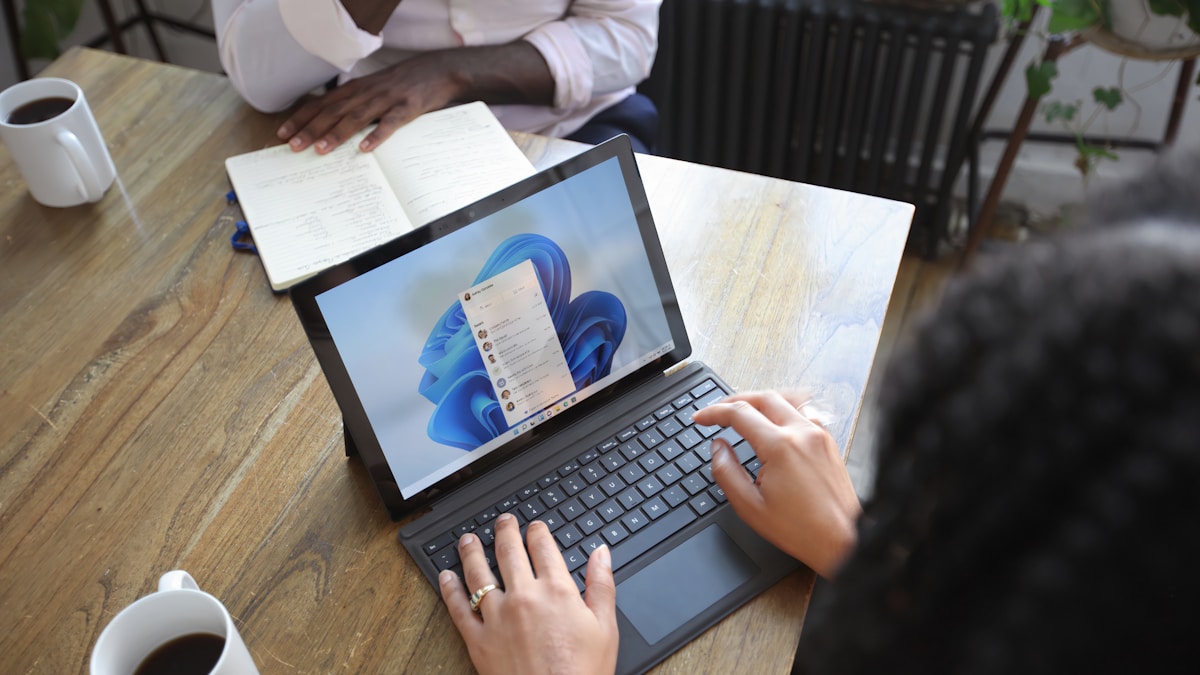
Body doubling is working in the presence of another person who is also engaged in a task. It’s not collaboration – you’re not working on the same thing. It’s not accountability – they’re not checking on your progress. It’s simply parallel presence: two people doing their own work in shared space.
A Brief History
The term “body doubling” was coined in 1996 by ADHD coach Linda Anderson and gained mainstream recognition through social media and virtual coworking platforms in the early 2020s. While the formal term is relatively new, the concept isn’t. Study groups, library reading rooms, and coworking spaces have leveraged the same principle for decades.
What changed is wider recognition that body doubling can act as an external support for executive function, especially task initiation.
Why It Works for ADHD Brains
Body doubling may activate three mechanisms that address common ADHD task-initiation barriers.
1. Activation Energy Reduction
Starting a task requires what ADHD clinicians and coaches often call “activation energy” – the mental effort needed to initiate. For many people with ADHD, that barrier is higher than typical because executive function, motivation, and reward systems do not engage consistently on demand. The presence of another person working provides a gentle environmental cue – a background signal that “now is a working time.” This external cue can partially compensate for the internal activation signal that ADHD brains may struggle to generate.
Think of it like a push-start for a car with a weak battery. The other person’s presence provides just enough energy to get the engine turning over.
2. Attention Anchoring
ADHD attention is highly susceptible to environmental drift. In an empty room, your attention has nothing to anchor to – it floats toward whatever stimulus is most available (usually your phone). Another person working creates a low-level environmental anchor. Their focus becomes a subtle reference point that your attention can orbit around rather than drifting into distraction.
This is related to social facilitation – the well-documented psychological phenomenon where the presence of others increases arousal and strengthens dominant responses, improving performance on well-learned tasks (Zajonc, 1965). This may be particularly relevant for ADHD brains, where the baseline tendency to drift is stronger – though this specific interaction has not been formally studied.
3. Gentle Accountability
Body doubling creates a soft social contract: “We’re both working right now.” This isn’t the pressure of a boss watching over your shoulder or a deadline looming. It’s the mild awareness that another person is engaged in productive activity, which makes it slightly easier to stay engaged yourself.
The accountability isn’t about judgment. It’s about shared intention. Knowing someone else is in “work mode” normalizes being in work mode yourself.
4 Types of Body Doubling
Body doubling doesn’t require a physical office or a specific person. Here are four approaches:
1. In-Person Body Doubling
The original form: working alongside someone in the same physical space.
Where to find it:
- Libraries and coworking spaces
- Coffee shops (ambient noise adds a bonus layer of stimulation)
- A friend’s living room – “Want to come over and work quietly?”
- Office days, even if your work is independent
Best for: People who respond strongly to physical presence and benefit from the added sensory input of a shared environment.
2. Virtual Body Doubling
Working over a video call with someone who’s also doing their own tasks. Cameras stay on (or off – experiment with both). Minimal or no conversation during work blocks.
Where to find it:
- Friends or colleagues willing to hop on a “co-working call”
- Dedicated virtual coworking platforms (Focusmate, Flow Club, Caveday)
- Discord servers with study/work rooms
Best for: Remote workers, people without local body-doubling partners, those who need flexibility in scheduling.
3. Recorded or Ambient Body Doubling
Watching a “Study With Me” video, listening to a livestream of someone working, or playing ambient cafe sounds that simulate a shared workspace.
Where to find it:
- YouTube “Study With Me” or “Work With Me” livestreams
- Lo-fi music streams with a workspace visual
- Ambient sound apps that simulate cafe or library environments
Best for: When no live person is available, late-night work sessions, situations where scheduling a live session isn’t feasible. Some people find this less effective than live presence, but it can still help compared with working alone in silence.
4. Asynchronous Body Doubling
Sharing your work progress in a channel or group where others are doing the same. You’re not working at the same time, but the awareness of others’ progress creates a thread of shared accountability.
Where to find it:
- Slack or Discord channels with “daily standup” formats
- Accountability groups where members post daily progress
- Shared task boards where you can see others’ checked-off items
Best for: Distributed teams across time zones, people who find live video calls draining, situations where scheduling is unpredictable.
How to Find Your Setup
Match Energy Levels
Some people need energetic, lightly chatty body doubles. Others need silent, head-down focus partners. If there’s a mismatch – you need quiet but your partner keeps chatting – the session becomes more draining than working alone.
Before starting, align on expectations: “Let’s do 50 minutes of silent work, then 10 minutes of chat.” Clear agreements prevent awkwardness.
Silent vs. Light Chat
Silent body doubling: Best for tasks requiring deep focus – writing, coding, analysis. No conversation during work blocks. A brief check-in at the start and end only.
Light chat body doubling: Best for low-activation tasks – email, admin, filing. Brief exchanges (“ugh, this spreadsheet”) provide micro-doses of social stimulation that help maintain engagement on boring work.
Strangers vs. Friends
Friends provide comfort but also temptation to socialize. Strangers provide stronger accountability (you’re less likely to scroll Instagram with a stranger watching) but may feel awkward initially.
Platforms like Focusmate deliberately pair you with strangers, which many ADHD users find more effective precisely because the social dynamic discourages off-task behavior.
Finding Resources
- Free: Ask a friend or colleague to co-work virtually. Post in ADHD communities.
- Structured: Focusmate (free tier available), Flow Club, Caveday – these provide matched partners and timed sessions.
- DIY: Set up a recurring “co-working hour” in your team’s calendar. You’d be surprised how many colleagues want this too.
Body Doubling with Super Productivity
Share Time Tracking Context
If you’re body doubling with a colleague, having your tracked time visible creates a shared awareness of work pace. Seeing “45 minutes on task X” gives both of you a concrete sense of progress that reinforces the working agreement.
Pomodoro Sync
Run synchronized Pomodoro sessions during body doubling. Both partners start a 25-minute focus block, take the break together (a quick chat or shared stretch), then start the next block. The shared rhythm creates external structure that neither person has to maintain alone.
The Daily Log as Async Body Double
For asynchronous body doubling, Super Productivity’s daily summary provides a shareable work log. Posting your summary in a team channel creates a lightweight accountability thread without requiring real-time presence.
Common Pitfalls
Over-Socializing
The break between work blocks turns into a 30-minute conversation. Solution: set a timer for breaks too, and agree in advance that when the timer goes off, it’s back to work – no negotiation.
Energy Mismatch
Your body double is in high-energy mode while you’re crashed, or vice versa. Solution: be honest about your current state. “I’m in low-energy mode today – I might only manage 15-minute blocks” sets expectations that prevent frustration.
Shame Spiraling
You’re frozen while your body double is productively typing away. The comparison triggers shame, which worsens the paralysis. Solution: remember that body doubling is a tool for task paralysis, not a performance evaluation. Your body double doesn’t care what you’re accomplishing – they’re focused on their own work.
Becoming Dependent
Some people worry about needing a body double to get anything done. While it’s healthy to develop independent focus strategies too, there’s nothing wrong with leaning on a tool that works. You don’t feel guilty about using glasses every day – body doubling is an executive function support, not a crutch.
Frequently Asked Questions
Does the other person need to have ADHD too?
No. Body doubling works regardless of the other person’s neurology. What matters is that they’re engaged in focused work. A neurotypical friend working on their own project serves the same function as an ADHD partner.
Can body doubling work for tasks I’m avoiding?
Yes – that’s often where people find it most useful. The activation energy for avoided tasks is high, so another person’s presence may provide enough structure to begin. If you’re stuck in task paralysis, body doubling is one strategy to try.
Why does it work even over video call?
The mechanisms aren’t fully understood, but social facilitation effects and environmental cues likely play a role. Even through a screen, your brain may register “someone is focused” and use that as an environmental signal that supports sustained attention. Some people find the effect weaker than in-person presence, and it varies by person.
How long should a body doubling session last?
Start with 50 minutes of work + 10 minutes of break, repeated 2-3 times. Adjust based on what you learn. Some people do well with 90-minute sessions; others need shorter blocks. The session length matters less than the consistency of doing it regularly.
What if I can’t find anyone to body double with?
Recorded options (Study With Me videos, ambient cafe sounds) provide a meaningful fraction of the benefit. Virtual platforms like Focusmate match you with strangers at any hour. And sometimes, working in a public space – cafe, library, park bench – provides enough ambient presence to function as body doubling.
Next Moves
Try one virtual body doubling session this week – ask a friend or colleague to hop on a 50-minute co-working call. No conversation during the work block, brief check-in at start and end.
Experiment with recorded body doubling today – find a “Study With Me” livestream and work alongside it for one task you’ve been avoiding. Notice whether the presence (even recorded) changes your activation energy.
Set up a recurring session – if the first session helps, make it weekly. Consistency is where body doubling’s benefits compound.
Try working from a public space – library, cafe, or coworking spot. Notice whether ambient human presence affects your ability to start and sustain focus.
Body doubling is not a cure, but it can be a useful compensatory strategy for task initiation and sustained attention. If you’ve been struggling to start alone, you’re not weak – you may need more external structure.
For the full ADHD toolkit, read our ADHD Productivity Guide. See also: ADHD-proofing your developer workflow for developer-specific strategies and how to build a distraction-free work environment for optimizing your physical workspace.
References
- National Institute of Mental Health. Attention-Deficit/Hyperactivity Disorder (ADHD).
- Centers for Disease Control and Prevention. About ADHD.
- Zajonc, R. B. (1965). Social facilitation.
Related resources
Keep exploring the topic
ADHD & Focus Patterns
Build gentle routines, dopamine-aware reminders, and quiet work blocks that actually stick.
Read moreVisual Task Management for ADHD: Boards & Calendar Views
ADHD brains lose what they cannot see. A Kanban board, an Eisenhower matrix, and a calendar view turn invisible work and time into something you can actually act on.
Read moreADHD Time Blindness: Why Timers Fail and What Works
Time blindness isn't poor time management – it's a neurological difference in how ADHD brains perceive time. Learn why standard timers backfire and what actually works.
Read moreStay in flow with Super Productivity
Plan deep work sessions, track time effortlessly, and manage every issue with the open-source task manager built for focus. Concerned about data ownership? Read about our privacy-first approach.

About the Author
Johannes is the creator of Super Productivity. As a developer himself, he built the tool he needed to manage complex projects and maintain flow state. He writes about productivity, open source, and developer wellbeing.