

· Johannes Millan · 6 min read
Super Productivity vs. Reclaim.ai: Developer Comparison
Reclaim.ai and Super Productivity both help you protect focus time and structure your day around real work. But they take fundamentally different approaches: Reclaim uses AI to auto-schedule your calendar, while Super Productivity gives you manual control over your timeboxing with built-in task management and time tracking.
TL;DR: Which one should you choose?
- Reclaim.ai: Best for professionals who want AI to auto-schedule tasks, habits, and focus blocks around their Google Calendar meetings.
- Super Productivity: Best for developers who want manual timeboxing, built-in time tracking, Jira/GitHub integration, and API/plugin extensibility – all offline and free.
Privacy & open-source verdict
Who owns your data?
| Criterion | Super Productivity | Reclaim.ai |
|---|---|---|
| Open source | Yes – MIT license | No – proprietary SaaS |
| Local-first storage | Yes – data on your device | No – cloud-only (requires Google Calendar) |
| Telemetry | None | Product analytics & calendar access |
| User-managed E2EE | BYO encryption via sync provider | No – requires full Google Calendar read/write access |
| Self-hosted / BYO sync | Yes – WebDAV, Dropbox, or local file | No – SaaS only |
Verify yourself: source code · privacy policy · code signing
⏱️ The Contenders
Reclaim.ai: The AI Scheduler
Reclaim.ai is a cloud-based scheduling tool that uses AI to automatically place tasks, habits, and focus blocks on your Google Calendar or Outlook. It continuously reoptimizes your schedule as meetings arrive, defending your focus time without manual intervention.
- Best for: Professionals with meeting-heavy calendars who want AI to protect their deep work time.
- Core Philosophy: Let the algorithm schedule your day so you can focus on the work.
- Pricing: Free Lite plan; Starter at $10/user/month annually ($12 monthly); Business at $15/user/month annually ($18 monthly).
Super Productivity: The Developer’s Workstation
Super Productivity is an open-source (MIT licensed), local-first productivity suite. It combines manual timeboxing, task management, time tracking, and Pomodoro with deep developer integrations plus a REST API and plugin system, including automations and MCP plugins – all without requiring an internet connection.
- Best for: Developers and freelancers who want deliberate planning and full control over their schedule.
- Core Philosophy: Privacy-first, offline-first, and integrated into the developer’s issue workflow.
- Pricing: Free and open source. Forever.
⚔️ Feature Comparison
| Feature | Reclaim.ai | Super Productivity |
|---|---|---|
| Scheduling Model | AI auto-scheduling (server-side) | Manual timeboxing with estimates and daily planner |
| Calendar Integration | Google Calendar, Outlook (Outlook support added 2025; some feature gaps vs Google Calendar) | CalDAV, Google Calendar |
| Time Tracking | Weekly analytics and focus-time reports | Built-in timers with idle detection and per-task analytics |
| Pomodoro | Standalone web tool (not in-app) | Built-in with configurable intervals and break reminders |
| Task Management | Basic (imported from integrations) | Full-featured (subtasks, priorities, tags, backlog) |
| Issue Integrations | Jira, Linear, ClickUp, Todoist, Asana | Jira, GitHub, GitLab, Gitea, OpenProject (with worklog sync) |
| Extensibility | Cloud integrations and scheduling rules | REST API, plugin system, automations plugin, MCP plugins |
| Focus Time Defense | AI auto-blocks focus time on calendar | Manual scheduling with Pomodoro and break reminders |
| Offline Mode | None (cloud-dependent) | Full offline (offline-first architecture) |
| Data Privacy | Cloud-based (requires Google/Microsoft account access) | Local-first (no account required, no telemetry) |
| Mobile App | No native app (PWA only) | Android, iOS apps |
| Pricing | Free (limited) to paid tiers starting at $10/user/month annually | Free & Open Source |
🔍 Deep Dive: Where They Differ
1. AI Scheduling vs. Manual Timeboxing
This is the core philosophical difference.
Reclaim.ai watches your calendar and automatically places tasks, habits, and focus blocks into open slots. When a new meeting appears, Reclaim reshuffles your day. You set priorities (P1–P4), and the algorithm decides when things happen. It’s hands-off scheduling for people drowning in meetings.
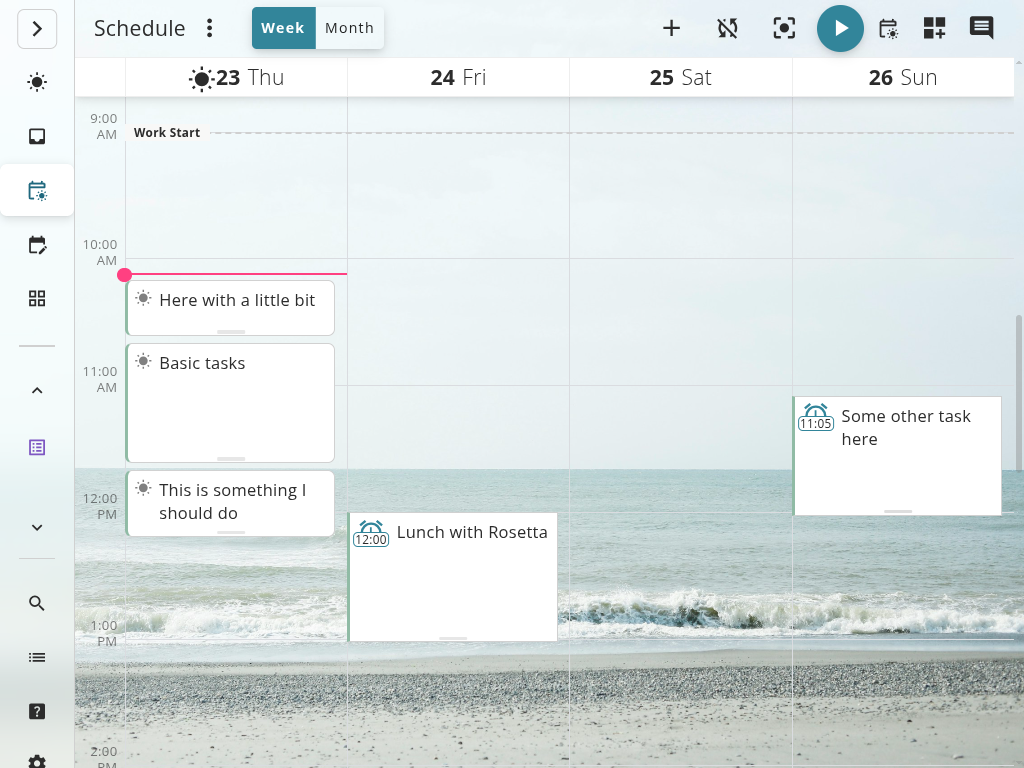
Super Productivity gives you a daily planner where you manually arrange tasks with time estimates and schedule blocks. You decide what goes where. There’s no AI reoptimizing behind the scenes – you build your day deliberately.
The tradeoff: Reclaim saves you scheduling decisions but removes control. Super Productivity requires you to plan actively but gives you full agency over your day. Research on timeboxing suggests that the act of deliberate planning itself improves focus and commitment.
2. Developer Workflow
Reclaim.ai connects to Jira, Linear, ClickUp, and Todoist to import tasks for auto-scheduling. It pulls task titles and priorities, and for Jira specifically, it can sync time tracking data back to the issue as you work.
Super Productivity integrates at a deeper level with developer tools:
- Imports issues from Jira, GitHub, and GitLab as native tasks.
- Syncs worklogs back to the original issue tracker automatically (Jira, GitLab, OpenProject).
- Lets you transition issue status without switching apps.
- Extends custom workflows through the REST API and plugin system, including automations and MCP plugins.
Both tools can log time back to Jira, but Super Productivity also syncs worklogs to GitLab and OpenProject, supports issue transitions, and works entirely offline.
3. Privacy and Connectivity
Reclaim.ai requires full read/write access to your Google Calendar or Outlook. Its scheduling intelligence runs server-side, meaning your calendar data, meeting titles, and work patterns are processed in the cloud. Reclaim was acquired by Dropbox in 2024, so your data now lives under Dropbox’s corporate umbrella. There’s no offline mode – if you lose internet, Reclaim can’t reschedule.
Super Productivity works entirely offline. Your tasks, timers, and schedule live on your device. No calendar access is required (though you can optionally connect CalDAV). There’s no telemetry, no required account, and no server dependency.
4. Cost at Scale
Reclaim.ai’s free Lite plan is limited to basics such as a 1-week scheduling range, 2 connected calendars, and 1 habit. To unlock more scheduling range, integrations, and team features, you need Starter ($10/month annually or $12 monthly) or Business ($15/month annually or $18 monthly).
Super Productivity has no tiers. Every feature – Jira sync, Pomodoro, timeboxing, analytics – is available to everyone for free.
⚖️ Where Reclaim.ai Wins
- Meeting-heavy schedules: If your calendar is packed with meetings, Reclaim’s AI auto-defends focus blocks better than manual planning. It reshuffles in real time.
- Smart 1:1s: Reclaim finds optimal times for recurring internal meetings, reducing the back-and-forth of scheduling.
- Habits: Recurring routines (exercise, reading, lunch) flex around your calendar automatically rather than being rigid time blocks.
- Team coordination: On paid plans, Reclaim can coordinate availability across team members for no-meeting days and scheduling links.
🏆 The Verdict
Choose Reclaim.ai if:
- Your calendar is dominated by meetings and you need AI to protect focus time.
- You want hands-off scheduling – set priorities and let the algorithm handle placement.
- You already live in Google Calendar and want smart meeting coordination.
Choose Super Productivity if:
- You want deliberate, manual timeboxing where you control every block.
- You work with Jira, GitHub, or GitLab and need automatic worklog sync.
- You want API, plugin, automation, or MCP extension points without moving your whole schedule into a cloud scheduler.
- You care about privacy and want your schedule data to stay local.
- You need a tool that works offline and doesn’t depend on cloud services.
- You prefer free, open-source software.
🚀 Ready to take control of your schedule?
Super Productivity gives you timeboxing, task management, developer integrations, and MCP-friendly extension points without AI scheduler dependencies or monthly fees.
- Download Super Productivity for Linux, macOS, or Windows.
- Read the Time Boxing Guide to master deliberate scheduling.
- Compare more tools in our Comparison Hub.
Related resources
Keep exploring the topic
Timeboxing & Scheduling Guide
Blend buffer blocks, timeboxing, and daily reviews so your calendar and task list stay in sync.
Read moreTimeboxing vs Time Blocking: What Is the Difference?
Timeboxing and time blocking sound similar but work differently. Time blocking reserves calendar slots for types of work. Timeboxing assigns fixed durations to specific tasks. Here's when to use each.
Read moreCalendar Blocking vs. To-Do Lists: The Hybrid That Works
Pure calendar blocking is fragile. Pure to-do lists ignore time. Here's how combining both approaches fixes the flaws of each – and why timeboxing is the bridge.
Read moreStay in flow with Super Productivity
Plan deep work sessions, track time effortlessly, and manage every issue with the open-source task manager built for focus. Concerned about data ownership? Read about our privacy-first approach.

About the Author
Johannes is the creator of Super Productivity. As a developer himself, he built the tool he needed to manage complex projects and maintain flow state. He writes about productivity, open source, and developer wellbeing.