

· Johannes Millan · 5 min read
Super Productivity vs. Sunsama: Developer Comparison
Sunsama and Super Productivity both aim to solve the same problem: help knowledge workers plan their day, timebox tasks, and stay focused. They share more DNA than most tools on this list – daily planning rituals, built-in timers, and calendar awareness.
The difference is in philosophy. Sunsama is a polished cloud SaaS at $17/month on yearly billing, or $22 when billed monthly. Super Productivity is a free, open-source, local-first workstation built specifically for developers.
TL;DR: Which one should you choose?
- Sunsama: Best for professionals who want a guided daily ritual, pull tasks from many SaaS tools, and don’t mind paid cloud-only storage.
- Super Productivity: Best for developers who need direct Jira/GitHub/GitLab integration, API/plugin extensibility, local data, and free open-source software.
Privacy & open-source verdict
Who owns your data?
| Criterion | Super Productivity | Sunsama |
|---|---|---|
| Open source | Yes – MIT license | No – proprietary SaaS |
| Local-first storage | Yes – data on your device | No – cloud-only |
| Telemetry | None | Product analytics |
| User-managed E2EE | BYO encryption via sync provider | No – server-side encryption, vendor holds keys |
| Self-hosted / BYO sync | Yes – WebDAV, Dropbox, or local file | No – SaaS only ($20/mo) |
Verify yourself: source code · privacy policy · code signing
⏱️ The Contenders
Sunsama: The Guided Daily Planner
Sunsama is a cloud-based daily planner with a strong opinion about how your day should start. Its signature feature is a guided planning ritual that walks you through importing tasks, timeboxing them onto your calendar, and setting realistic commitments.
- Best for: Knowledge workers who want structured morning/evening routines and pull tasks from Asana, Todoist, or Slack.
- Core Philosophy: Calm, intentional daily planning with guided rituals and workload limits.
Super Productivity: The Developer’s Workstation
Super Productivity is an open-source (MIT licensed), local-first productivity suite. It combines daily planning, time tracking, Pomodoro, deep integrations with Jira, GitHub, and GitLab, plus a REST API and plugin system that includes automations and MCP plugins – all without requiring an account or internet connection.
- Best for: Developers, freelancers, and privacy-conscious users who want planning + tracking in one offline app.
- Core Philosophy: Privacy-first, offline-first, and integrated directly into the developer’s issue workflow.
⚔️ Feature Comparison
| Feature | Sunsama | Super Productivity |
|---|---|---|
| Daily Planning | Guided step-by-step ritual with workload warnings | Daily planner with estimate summaries and schedule view |
| Timeboxing | Drag tasks onto calendar; warns when over-scheduled | Built-in timeboxing with calendar blocks |
| Time Tracking | Per-task timer (manual start/stop) | Native timers with idle detection and per-task analytics |
| Pomodoro | Built-in | Built-in with configurable intervals and break reminders |
| Data Privacy | Cloud-only (US data centers, no EU residency option) | Local-first (data on your device; optional self-hosted sync) |
| Offline Mode | No offline on desktop/web; limited on mobile | Full offline (offline-first architecture) |
| Issue Integrations | GitHub, Jira, Linear (task import) | Deep issue integration (Jira, GitHub, GitLab) |
| Extensibility | SaaS integrations | REST API, plugin system, automations plugin, MCP plugins |
| Account Required | Yes (mandatory) | No |
| Platform Support | Web, macOS, Windows, Linux, iOS, Android | Linux, macOS, Windows, Android, iOS, Web |
| Pricing | $17/month (annual) or $22/month (monthly) | Free & Open Source (forever) |
| Open Source | No | Yes (MIT license) |
🔍 Deep Dive: Where They Differ
1. Daily Planning Approach
Sunsama shines with its guided ritual. Every morning it walks you through: review yesterday, import tasks from connected tools, estimate each one, drag them onto your calendar, and commit to a realistic day. It also has a shutdown ritual for end-of-day reflection.
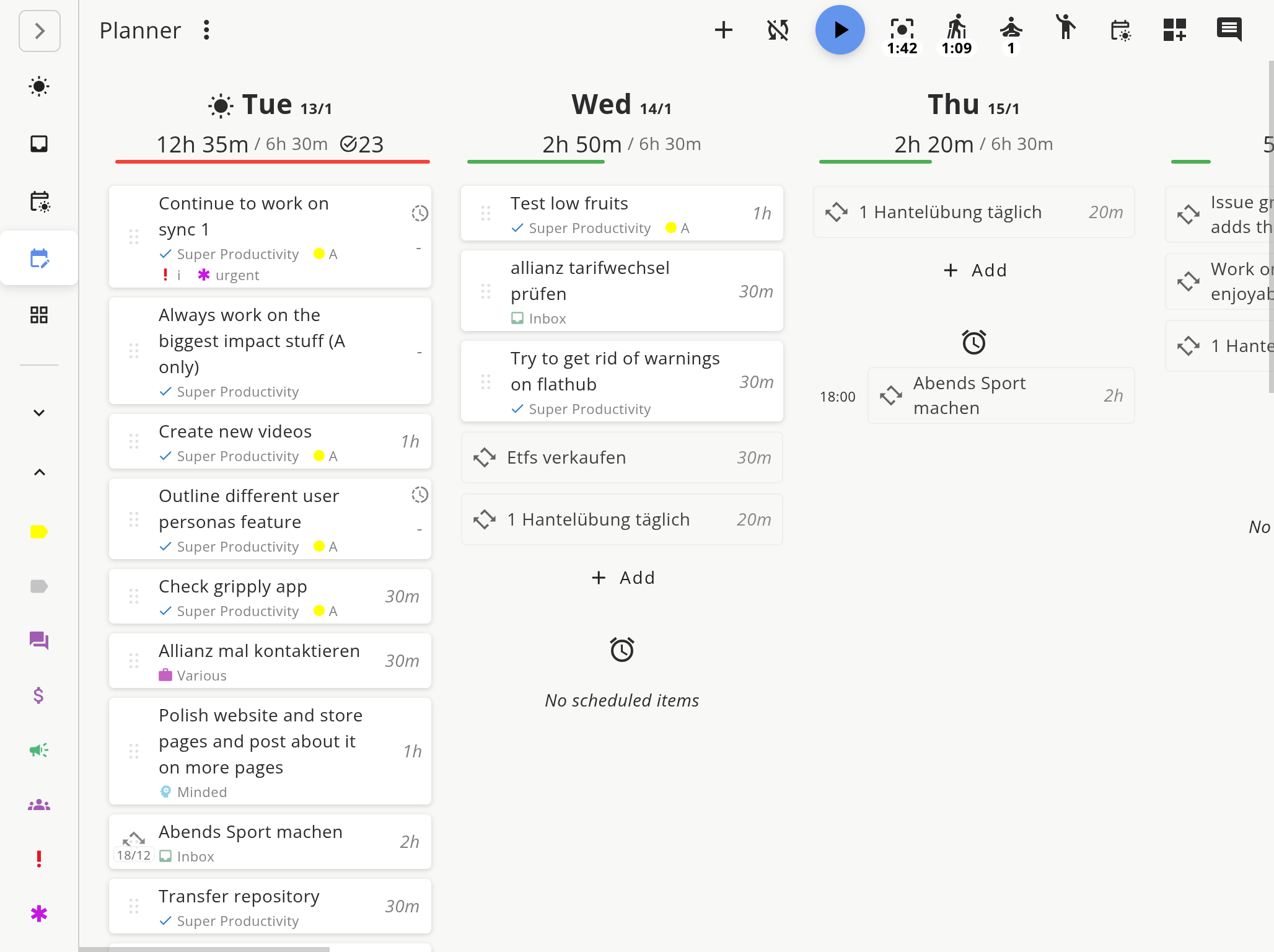
Super Productivity gives you a daily planner view with estimates, schedule blocks, and a review screen – but it doesn’t force a specific ritual. You get the same building blocks with more flexibility and less hand-holding.
If you struggle with starting your day and want a structured walkthrough, Sunsama’s ritual is genuinely helpful. If you already have a routine and want speed, Super Productivity’s planner gets out of your way.
2. Developer Workflow Integration
This is where the tools diverge sharply.
Sunsama connects to GitHub, Jira, Linear, and other SaaS tools – but primarily as task import sources. You pull issues into your daily plan and work from Sunsama’s interface.
Super Productivity integrates at a deeper level:
- It imports your tickets from Jira, GitHub, or GitLab as native tasks.
- It syncs worklogs back to the original system (e.g., time logged in SP appears on the Jira issue automatically).
- It tracks transitions so you can update issue status without leaving your task list.
- It supports custom workflows through the REST API and plugin system, including automations and MCP plugins.
For developers who live in issue trackers, this bidirectional sync eliminates double-entry and keeps your Jira/GitLab timesheets accurate without manual effort.
3. Privacy and Data Ownership
Sunsama stores all data in US-based cloud servers (GCP, MongoDB Atlas, AWS). There’s no EU data residency option. You need an account to use the tool, and your detailed work patterns live on their infrastructure.
Super Productivity is local-first. Your database sits on your machine. You can optionally sync via your own Nextcloud, Dropbox, or WebDAV – but nothing leaves your device unless you configure it. There’s no telemetry, no required login, and no vendor lock-in.
4. Cost
At $17/month (annual) or $22/month (monthly), Sunsama is one of the pricier personal productivity tools. Over two years, that’s $408-528 for a single user.
Super Productivity is free. All features, all platforms, forever. If you want to support development, you can sponsor the project, but nothing is gated behind a paywall.
⚖️ Where Sunsama Wins
- Guided rituals: The morning planning and evening shutdown workflows are polished and effective. Super Productivity’s planner is flexible but doesn’t hold your hand.
- Slack/email-to-task: Sunsama lets you drag Slack messages and emails directly into your daily plan. Useful if your work comes through chat.
- Calendar-first view: Sunsama’s calendar integration feels more native – your tasks and calendar events share one visual timeline by default.
- Weekly objectives: Sunsama prompts you to set weekly goals that inform daily planning, adding a layer of intentionality.
🏆 The Verdict
Choose Sunsama if:
- You want a guided daily ritual that structures your morning and evening.
- You pull tasks from many SaaS tools (Asana, Todoist, Slack, Linear) and want one daily view.
- Budget isn’t a concern and you’re comfortable with cloud-only storage.
Choose Super Productivity if:
- You are a developer working with Jira, GitHub, or GitLab and want worklog sync.
- You want REST API, plugin, automation, or MCP support for workflows beyond built-in imports.
- You care about privacy and want full ownership of your data.
- You want time tracking, Pomodoro, and daily planning in one free tool.
- You need offline support or work in environments with limited connectivity.
🚀 Ready to try the free alternative?
Super Productivity gives you daily planning, timeboxing, developer integrations, API access, and plugins without a subscription.
- Download Super Productivity for Linux, macOS, or Windows.
- Check out the Time Boxing Guide to set up your first timeboxed day.
- Compare more tools in our Comparison Hub.
Related resources
Keep exploring the topic
Timeboxing & Scheduling Guide
Blend buffer blocks, timeboxing, and daily reviews so your calendar and task list stay in sync.
Read moreTimeboxing vs Time Blocking: What Is the Difference?
Timeboxing and time blocking sound similar but work differently. Time blocking reserves calendar slots for types of work. Timeboxing assigns fixed durations to specific tasks. Here's when to use each.
Read moreCalendar Blocking vs. To-Do Lists: The Hybrid That Works
Pure calendar blocking is fragile. Pure to-do lists ignore time. Here's how combining both approaches fixes the flaws of each – and why timeboxing is the bridge.
Read moreStay in flow with Super Productivity
Plan deep work sessions, track time effortlessly, and manage every issue with the open-source task manager built for focus. Concerned about data ownership? Read about our privacy-first approach.

About the Author
Johannes is the creator of Super Productivity. As a developer himself, he built the tool he needed to manage complex projects and maintain flow state. He writes about productivity, open source, and developer wellbeing.