

· Johannes Millan · 6 min read
Super Productivity vs. Obsidian Tasks: Developer Comparison
Obsidian and Super Productivity share an unusual overlap: both are local-first, developer-friendly, and privacy-respecting. If you’re drawn to owning your data and avoiding cloud SaaS, these two tools are likely on your shortlist.
The fundamental difference: Obsidian is a note-taking tool where task management is added via community plugins. Super Productivity is a purpose-built task execution environment with time tracking, Pomodoro, and issue-tracker integration baked in.
TL;DR: Which one should you choose?
- Obsidian + Tasks: Best for PKM enthusiasts who want tasks embedded in their notes, query-powered views, and unlimited customization through plugins.
- Super Productivity: Best for developers who want a ready-to-use task manager with built-in timers, Jira/GitHub sync, and zero configuration.
Privacy & open-source verdict
Who owns your data?
| Criterion | Super Productivity | Obsidian + Tasks |
|---|---|---|
| Open source | Yes – MIT license | Partial – app is proprietary, Tasks plugin is MIT |
| Local-first storage | Yes – data on your device | Yes – plain Markdown files |
| Telemetry | None | Optional (can be disabled) |
| User-managed E2EE | BYO encryption via sync provider | Local files; Obsidian Sync offers E2EE |
| Self-hosted / BYO sync | Yes – WebDAV, Dropbox, or local file | Yes – any file sync tool |
Verify yourself: source code · privacy policy · code signing
⏱️ The Contenders
Obsidian + Tasks Plugin: The Knowledge Base with Task Support
Obsidian is a powerful note-taking app built on local markdown files. The Tasks community plugin adds due dates, priorities, recurring tasks, and query blocks that aggregate tasks from across your vault. Combined with other plugins (Kanban, Dataview, Full Calendar), you can build a custom task management system – if you’re willing to invest the setup time.
- Best for: PKM enthusiasts and tinkerers who want tasks living alongside their notes.
- Core Philosophy: Plain text, local files, and community-driven extensibility.
- Pricing: Free for personal and commercial use. Optional Obsidian Sync is $4/month annually or $5 monthly.
Super Productivity: The Developer’s Workstation
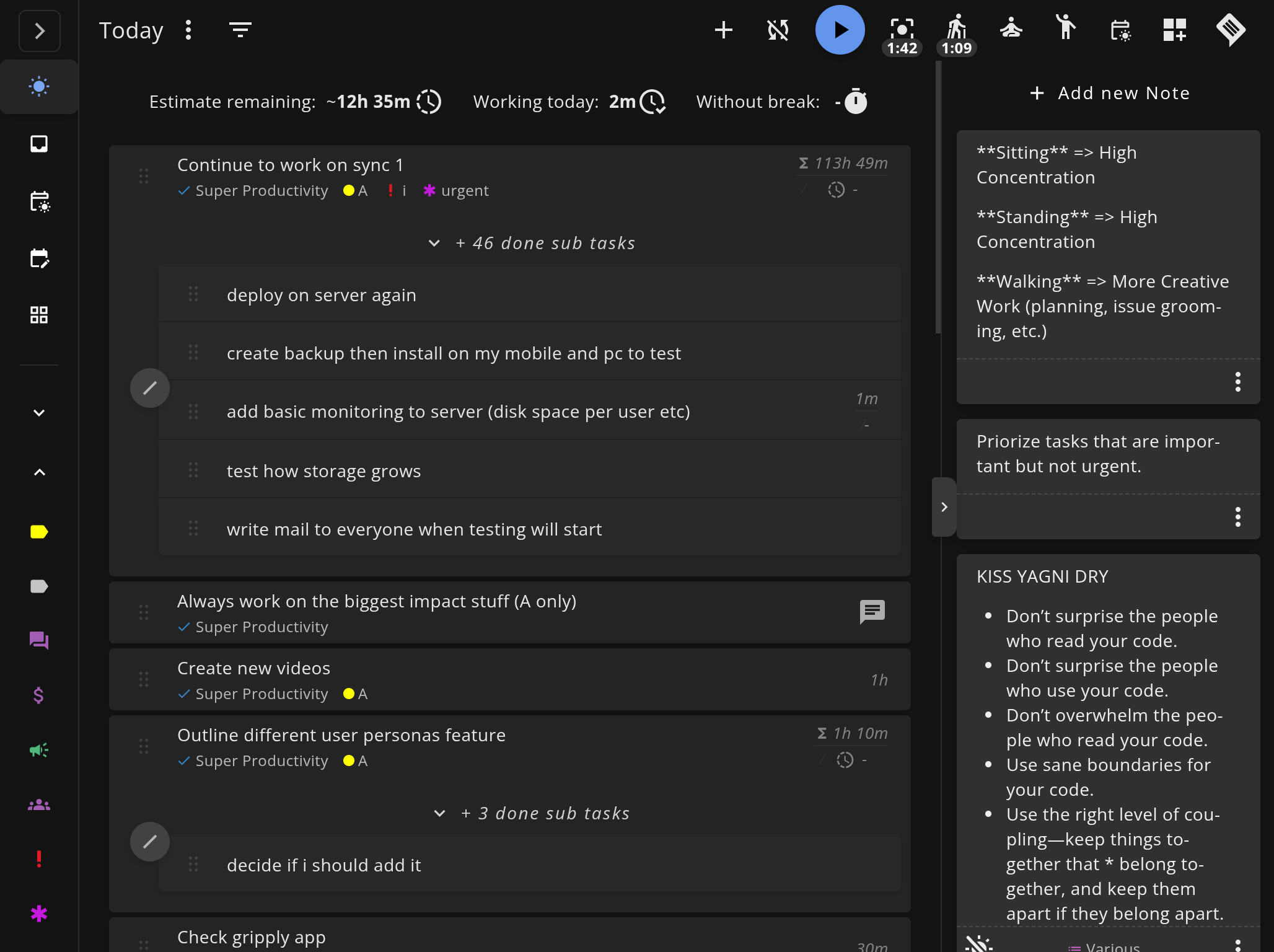
Super Productivity is an open-source (MIT licensed), local-first productivity suite purpose-built for task execution. It ships with time tracking, Pomodoro, daily planning, Jira/GitHub/GitLab integration, and a REST API and plugin system, including automations and MCP plugins.
- Best for: Developers and freelancers who need a ready-to-use task + time tracking environment.
- Core Philosophy: Privacy-first, offline-first, and integrated into the developer’s issue workflow.
- Pricing: Free and open source. Forever.
⚔️ Feature Comparison
| Feature | Obsidian + Tasks | Super Productivity |
|---|---|---|
| Task Management | Markdown checkboxes with plugin queries | Purpose-built UI with subtasks, priorities, backlog |
| Time Tracking | No built-in support (plugin ecosystem limited) | Native timers with idle detection and per-task analytics |
| Pomodoro | Via third-party plugin | Built-in with configurable intervals and break reminders |
| Daily Planning | Manual (Daily Notes + templates) | Dedicated planner view with estimates and scheduling |
| Issue Integrations | Community plugins available (Jira, GitHub sync) but not built-in | Jira, GitHub, GitLab, Gitea, OpenProject with worklog sync |
| Extensibility | 4,300+ community plugins | REST API and plugin system, including automations and MCP plugins |
| Data Format | Plain markdown files | JSON database (exportable) |
| Offline Mode | Full offline (local files) | Full offline (local-first architecture) |
| Notes & Knowledge | Core strength – rich linking, graph view, backlinks | Task-level notes (not a knowledge base) |
| Calendar View | Via Full Calendar plugin | Built-in schedule and monthly views |
| Mobile Experience | Available but limited for task management | Native Android and iOS apps |
| Setup Required | High (install plugins, learn query syntax, configure templates) | Minimal (works out of the box) |
| Open Source | No (proprietary, free for personal and commercial use) | Yes (MIT license) |
🔍 Deep Dive: Where They Differ
1. Ready-to-Use vs. Build-Your-Own
This is the defining tradeoff.
Obsidian + Tasks requires you to: install the Tasks plugin, learn emoji-based priority syntax (⏫, 🔼), write query blocks to create filtered views, possibly install Kanban, Dataview, or Full Calendar plugins, and configure templates for daily notes. The ceiling is high – you can build exactly the system you want – but the floor is also high.
Super Productivity works the moment you open it. Projects, tasks, timers, Pomodoro, daily planning, and analytics are all there. Connect Jira or GitHub in settings, and your issues appear as tasks. Plugins, automations, the REST API, and MCP plugins are there when you need them; they are not required just to get a usable task system.
If you enjoy building systems, Obsidian is rewarding. If you want to start working immediately, Super Productivity has you covered.
2. Time Tracking
Obsidian has no meaningful time tracking story. There are a few community plugins that add basic timers, but none approach the depth of a dedicated tracker. You can’t easily see “how long did I spend on Project X this week?” without significant manual effort.
Super Productivity tracks time per task automatically. Start the timer, work, stop. At the end of the week, review per-project breakdowns, compare estimated vs. actual time, and export worklogs. For freelancers or anyone reporting hours, this is the gap Obsidian can’t close with plugins.
3. Developer Integration
Obsidian has no built-in integration with Jira, GitHub, or GitLab. Community plugins exist for fetching issues into notes (including some with bidirectional sync), but they require setup, are community-maintained, and don’t offer integrated time tracking or worklog sync.
Super Productivity integrates bidirectionally:
- Import issues from Jira, GitHub, GitLab as native tasks.
- Sync time logged back to the issue’s worklog.
- Transition issue status from within the app.
For developers, this means your Jira timesheet stays accurate without manual entry.
4. Notes and Knowledge Management
This is where Obsidian has no competition. Its linked notes, graph view, backlinks, and search create a genuine knowledge base. If you need to connect meeting notes to project plans to research documents, Obsidian’s linking model is unmatched.
Super Productivity has task-level notes for adding context to individual items, but it’s not a knowledge management tool. It’s focused on execution, not documentation.
5. Data Format
Obsidian stores everything as plain markdown files in a local folder. This is maximally portable – you can read, edit, and version-control your tasks with any text editor or Git.
Super Productivity uses a JSON database. It’s exportable and human-readable, but it’s not as naturally interoperable as plain text files.
⚖️ Where Obsidian Wins
- Knowledge management: Notes, linking, graph view, and backlinks make Obsidian a genuine second brain. Super Productivity is task-focused, not knowledge-focused.
- Customizability: With 4,300+ community plugins, you can build virtually any workflow. Super Productivity now has a REST API and plugin system, including automations and MCP plugins, but Obsidian still has the larger community extension ecosystem.
- Plain text portability: Markdown files are future-proof and version-controllable. No vendor lock-in, no proprietary format.
- Existing vault users: If your notes already live in Obsidian, adding tasks in the same tool keeps everything in one place.
🏆 The Verdict
Choose Obsidian + Tasks if:
- You already use Obsidian for notes and knowledge management.
- You enjoy building custom systems and don’t mind setup time.
- Your task management needs are simple (lists, due dates) and you want tasks embedded in context alongside notes.
- You don’t need time tracking or issue-tracker integration.
Choose Super Productivity if:
- You want a ready-to-use task manager that works out of the box.
- You need time tracking with per-task analytics and worklog exports.
- You work with Jira, GitHub, or GitLab and want bidirectional sync.
- You want Pomodoro and daily planning without configuring plugins.
- You prefer truly open-source (MIT license) software.
🚀 Why not use both?
Many developers use Obsidian for notes and Super Productivity for task execution. Keep your knowledge base in Obsidian and your daily work – timers, Jira tickets, schedule blocks – in Super Productivity.
- Download Super Productivity for Linux, macOS, or Windows.
- Read the Developer Productivity Guide to set up your workflow.
- Compare more tools in our Comparison Hub.
Related resources
Keep exploring the topic
Developer Productivity Hub
Templates, focus rituals, and automation ideas for shipping features without burning out.
Read more7 Best To-Do Apps for Developers (2026 Comparison)
A practical comparison of Super Productivity, Obsidian, Taskwarrior, Linear, Todoist, Trello, and other developer-focused to-do apps with issue integrations, APIs, and workflows that matter.
Read moreBest Todoist Alternatives for Developers in 2026
A developer-focused comparison of Todoist alternatives. We evaluate 7 task managers on keyboard shortcuts, Git integration, APIs, local-first options, Markdown support, and more.
Read moreStay in flow with Super Productivity
Plan deep work sessions, track time effortlessly, and manage every issue with the open-source task manager built for focus. Concerned about data ownership? Read about our privacy-first approach.

About the Author
Johannes is the creator of Super Productivity. As a developer himself, he built the tool he needed to manage complex projects and maintain flow state. He writes about productivity, open source, and developer wellbeing.