

· Johannes Millan · 4 min read
Best Open-Source Task Managers: Privacy, Features & Self-Hosting Compared
Choosing an open-source task manager means choosing transparency, data ownership, and long-term freedom from vendor lock-in. But “open source” alone doesn’t tell you whether a tool fits your workflow. Some require a server; others run entirely on your device. Some target teams; others are built for individuals.
This comparison evaluates the strongest open-source task managers in 2026 across the criteria that matter most: privacy architecture, offline capability, self-hosting options, and developer workflow integration. For a broader editorial overview including note-taking hybrids, see our 10 Best Open-Source Task Management Apps roundup. If you specifically want tools where the local device is the source of truth, read our Best Local-First To-Do Apps in 2026.
Quick Verdict
| Tool | Best for | License | Local-first | Sync / hosting |
|---|---|---|---|---|
| Super Productivity | Individual developers & deep work | MIT | Yes | Optional BYO sync |
| Vikunja | Self-hosted teams & shared lists | AGPL-3.0-or-later | No (server-based) | Self-hosted server |
| Taskwarrior | CLI power users & scripting | MIT | Yes | Optional TaskChampion sync |
| Planify | Linux desktop users who want simplicity | GPL-3.0 | Yes | Optional Nextcloud/CalDAV sync |
| Nextcloud Tasks | Nextcloud ecosystem users | AGPL-3.0 | No (CalDAV server) | Self-hosted Nextcloud |
Privacy & Data Ownership
The most important question for privacy-conscious users: where does your data live, and who can read it?
| Criterion | Super Productivity | Vikunja | Taskwarrior | Planify | Nextcloud Tasks |
|---|---|---|---|---|---|
| Data location | Your device (IndexedDB/JSON) | Your server | Local task database with JSON export | Local SQLite | Your Nextcloud server |
| Account required | No | Yes (self-hosted) | No | No | Yes (Nextcloud) |
| Telemetry | None | None | None | None | None (self-hosted) |
| Encryption | BYO (sync provider) | TLS in transit | BYO | None | Server-side (E2EE is file-only, not CalDAV) |
| Vendor can read data | No | You are the vendor | No | No | You are the vendor |
| Works offline | Yes – always | Apps cache, need server | Yes – always | Yes – always | Limited (CalDAV sync) |
Verify Super Productivity's claims: source code · privacy policy · code signing
Feature Comparison
| Feature | Super Productivity | Vikunja | Taskwarrior | Planify | Nextcloud Tasks |
|---|---|---|---|---|---|
| Time tracking | Built-in (per-task timers) | Pro feature only | Via hooks/scripts | No | No |
| Pomodoro / Focus mode | Yes | No | No | No | No |
| Timeboxing / Day planner | Yes (visual schedule) | No | No | No | No |
| Issue tracker sync | Jira, GitHub, GitLab, OpenProject | No | No | No | No |
| Kanban board | Yes | Yes | No (CLI) | Yes (board view) | No (Deck app) |
| Sub-tasks | Yes (unlimited nesting) | Yes | Yes (dependencies) | Yes | No |
| Recurring tasks | Yes | Yes | Yes | Yes | Yes |
| REST API | Yes | Yes | No (CLI + hooks) | No | CalDAV |
| Plugin system | Yes (plugins, automations, MCP) | No | Hooks | No | Nextcloud apps |
| Platforms | Windows, macOS, Linux, Android, iOS, Web | Web + mobile apps | CLI (all platforms) | Linux (GTK) | Web + mobile |
| Team features | Individual-focused | Yes (sharing, permissions) | Sync, no team UI | No | Nextcloud sharing |
Self-Hosting & Sync Options
Super Productivity
No server required. Data stays in your browser’s IndexedDB or the desktop app’s local store. When you want multi-device sync, bring your own backend:
- WebDAV (Nextcloud, ownCloud, any WebDAV server)
- Dropbox
- Local file sync (Syncthing, rsync)
Zero infrastructure to maintain for solo use. Zero cost.
Vikunja
A Go + Vue.js application you deploy on your own server. Requires Docker or a binary install, a database (SQLite/PostgreSQL/MySQL), and reverse proxy configuration. Full control, but meaningful ops overhead.
Taskwarrior
Local task data with JSON import/export. Taskwarrior 3 syncs through TaskChampion-compatible backends, including taskchampion-sync-server, and terminal users can still script exports, reports, and hooks. Minimal resource usage; maximum scriptability.
Planify
A GTK desktop app for Linux. Tasks live locally and can sync with Todoist or Nextcloud/CalDAV-compatible servers. Simple and polished, but limited to Linux.
Nextcloud Tasks
Runs as a Nextcloud app. Requires a full Nextcloud instance (PHP, database, web server). CalDAV-based, so mobile clients (e.g., DAVx5 + OpenTasks on Android) can sync. Heavy infrastructure for just tasks.
Developer Workflow
For developers, the difference between “tasks” and “integrated workflow” is critical:
| Workflow need | Super Productivity | Vikunja | Taskwarrior | Planify | Nextcloud Tasks |
|---|---|---|---|---|---|
| Pull Jira/GitHub/GitLab issues | Native sync | No | Via scripts | No | No |
| Track time per issue | Yes (auto-link) | Manual | Via hooks | No | No |
| Keyboard-first UI | Yes | Partial | Yes (CLI) | Limited | No |
| Scriptable/automatable | REST API + plugins + MCP | REST API | Hooks + CLI | No | CalDAV |
| Works in CI/terminal | REST API | REST API | Yes (native CLI) | No | No |
Who Should Choose What
Choose Super Productivity if:
- You’re an individual developer or freelancer
- You need time tracking + task management in one tool
- You want Jira/GitHub/GitLab integration without a cloud middleman
- You value zero-config, zero-server local-first storage
- You work across Windows, macOS, Linux, and mobile
Choose Vikunja if:
- You need a self-hosted team task manager with sharing
- You want Kanban boards, labels, and assignees for a group
- You’re comfortable maintaining a Docker deployment
- You don’t need time tracking or developer integrations
Choose Taskwarrior if:
- You live in the terminal and want maximum scriptability
- You prefer local CLI data with JSON export
- You don’t need a GUI or time tracking
- You want the lightest possible resource footprint
Choose Planify if:
- You’re on Linux and want a clean, simple GTK task app
- You don’t need time tracking, integrations, or multi-platform
- You value minimal design over feature density
Choose Nextcloud Tasks if:
- You already run a Nextcloud instance
- You want CalDAV sync with standard mobile clients
- You need tasks integrated into your existing Nextcloud ecosystem
The Bottom Line
Open source is table stakes. The real differentiators are: does the tool fit your actual workflow? Can you use it without running a server? Does it respect your time with built-in tracking and focus tools?
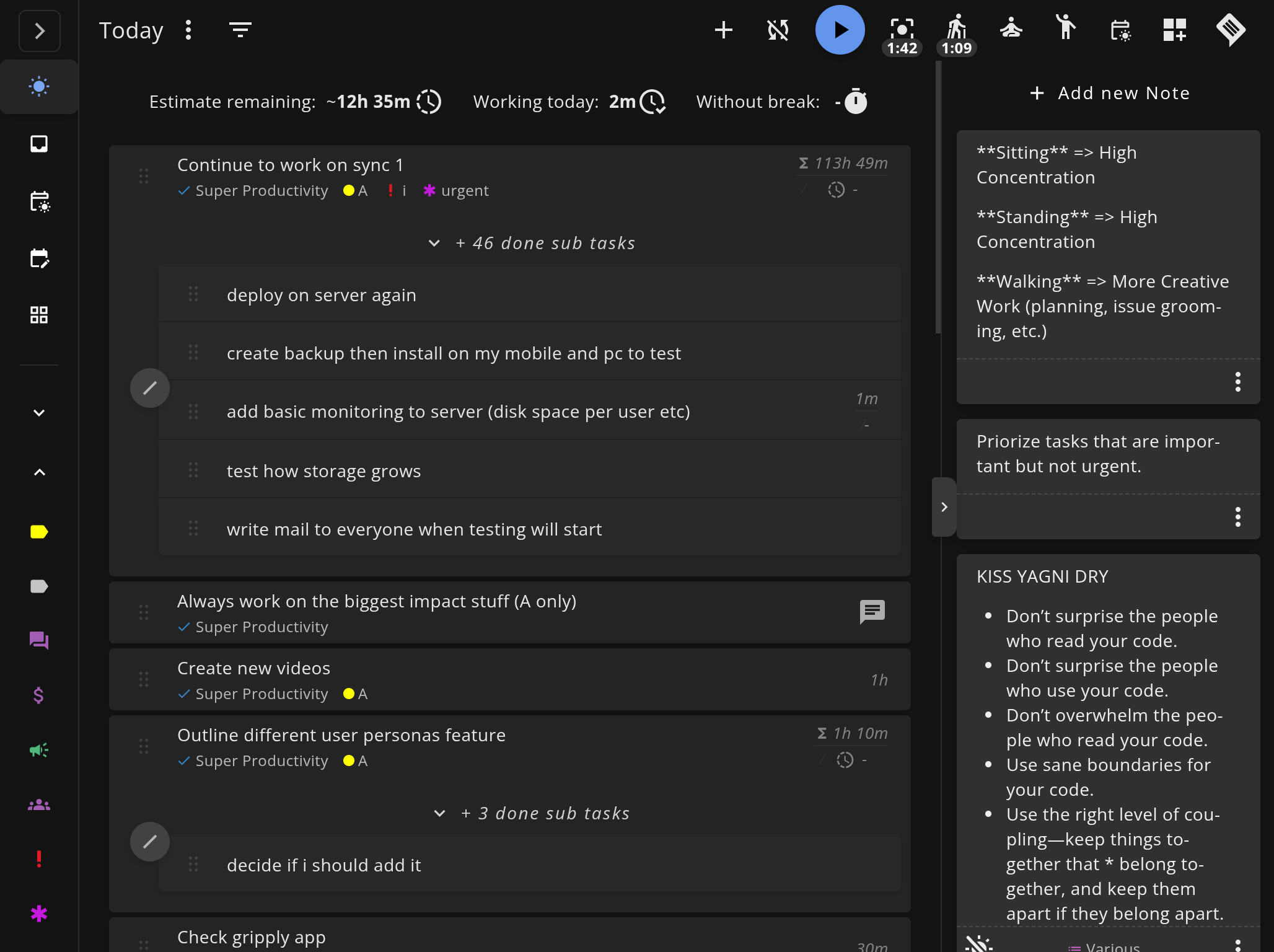
For individual developers who want the deepest feature set without infrastructure overhead, Super Productivity is the strongest choice in 2026. It’s the only open-source option that combines local-first storage, built-in time tracking, issue tracker sync, and a visual day planner – all without requiring an account or a server.
Start Without a Server
No sign-up, no Docker, no configuration. Download Super Productivity and start managing tasks in under a minute.
- Download Free for Windows, macOS, Linux, Android, and iOS.
- Read the Handbook to build your complete workflow.
- See all comparisons for 1-on-1 tool breakdowns.
Related resources
Keep exploring the topic
The Super Productivity Handbook
Build a complete deep work system with Super Productivity: setup, daily flow, timeboxing, integrations, and privacy-first sync.
Read moreThe Prioritising Scheme – Super Productivity
A simple yet effective prioritization method to help you focus on what matters most.
Read moreGetting started with Super Productivity
Learn how to use Super Productivity effectively with this comprehensive guide covering task management, time tracking, and productivity techniques.
Read moreStay in flow with Super Productivity
Plan deep work sessions, track time effortlessly, and manage every issue with the open-source task manager built for focus. Concerned about data ownership? Read about our privacy-first approach.

About the Author
Johannes is the creator of Super Productivity. As a developer himself, he built the tool he needed to manage complex projects and maintain flow state. He writes about productivity, open source, and developer wellbeing.