

· Johannes Millan · 5 min read
Taskwarrior vs Super Productivity: CLI vs GUI Task Manager
Both Taskwarrior and Super Productivity are free, open-source, local-first task managers with a loyal developer following — but they meet you in very different places. Taskwarrior is a command-line tool: fast, scriptable, and endlessly configurable, with companion tools for everything else. Super Productivity is a visual desktop app that ships time tracking, focus tools, and Jira/GitHub/GitLab sync in the box — no scripting or add-ons required.
This comparison helps you decide which fits your workflow based on architecture, features, and how much you want to assemble yourself. For a broader look at open-source options, see our Open-Source Productivity Apps Comparison.
TL;DR: Which one fits your workflow?
Taskwarrior: Best if you live in the terminal, love scripting and powerful filtering, and don’t mind wiring up separate tools for time tracking, issue sync, and any kind of GUI.
Super Productivity: Best if you want the same open-source, local-first ethos in a visual app with time tracking, focus mode, native issue integrations, and mobile apps already built in.
Privacy & open-source verdict
Who owns your data?
| Criterion | Super Productivity | Taskwarrior |
|---|---|---|
| Open source | Yes – MIT license | Yes – MIT license |
| Local-first storage | Yes – data on your device | Yes – local SQLite database |
| Telemetry | None | None |
| User-managed E2EE | BYO encryption via sync provider | Yes – encrypted sync (TaskChampion) |
| Self-hosted / BYO sync | Yes – WebDAV, Dropbox, or local file | Yes – TaskChampion sync server |
Verify yourself: source code · privacy policy · code signing
Architecture: Terminal vs Desktop App
The core difference is the interface — and how much you assemble yourself.
Taskwarrior is a command-line program (written in C++ with a Rust storage core). You drive it entirely from the terminal: task add, task list, task done. As of version 3.0 (March 2024), it stores tasks in a local SQLite database via its TaskChampion core, replacing the older plain-text format. There is no official graphical interface — though terminal UIs like taskwarrior-tui and vit exist.
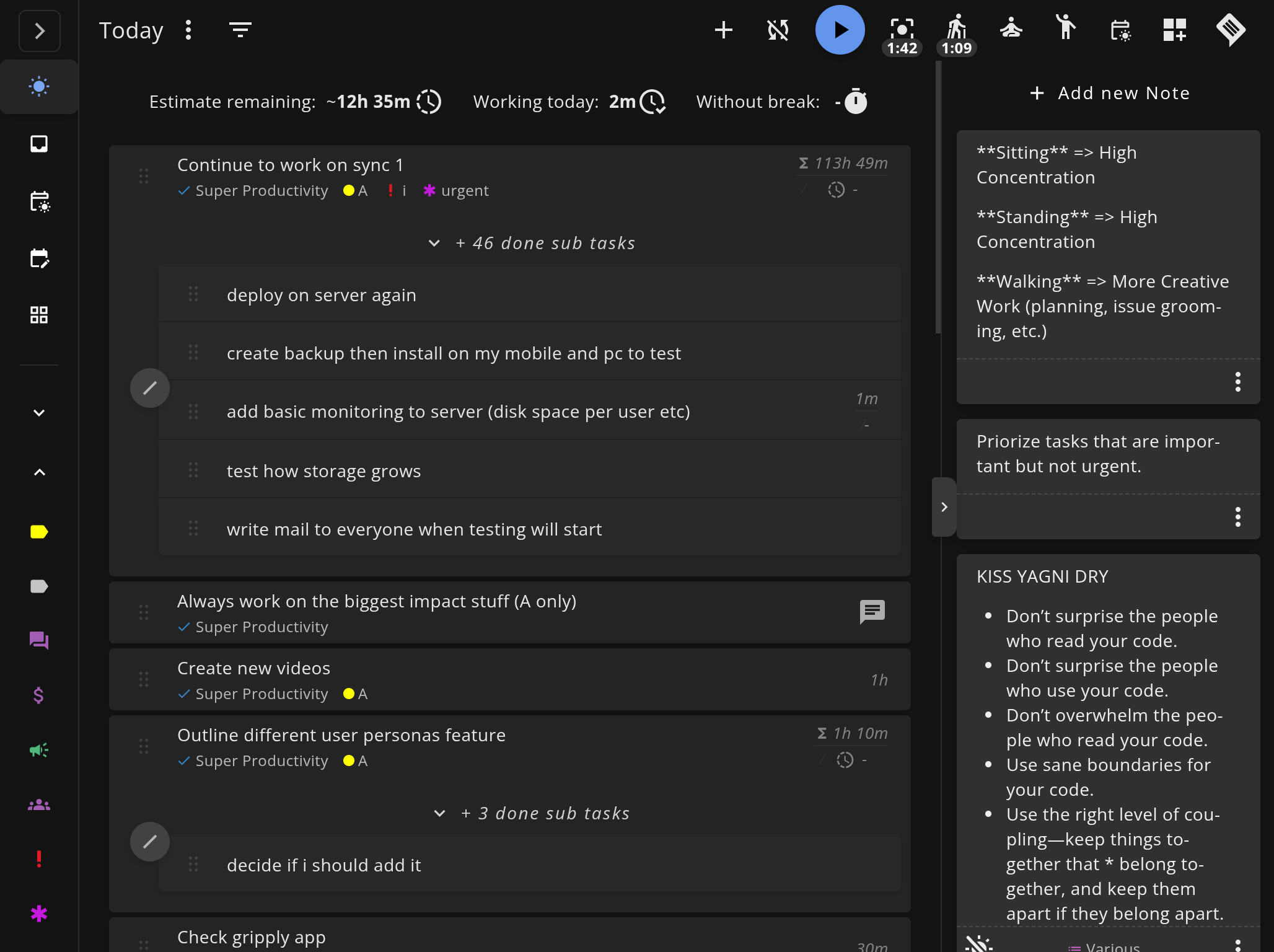
Super Productivity is a desktop application (Electron + Angular) with a full graphical interface, plus native Android and iOS apps. All data lives locally on your device (IndexedDB). It works fully offline by default; sync is optional through WebDAV, Dropbox, Super Sync, or local file sync.
| Aspect | Taskwarrior | Super Productivity |
|---|---|---|
| Interface | Command line (CLI) | Graphical desktop app |
| Built with | C++ / Rust core (TaskChampion) | Electron + Angular |
| Data storage | Local SQLite database | Local device (IndexedDB) |
| Platforms | Linux/Unix, macOS, Windows (via WSL) | Windows, macOS, Linux, Android, iOS |
| Offline support | Full | Full |
| Mobile | No official app | Native Android + iOS |
| Sync | TaskChampion sync server or cloud storage | Optional (WebDAV, Dropbox, Super Sync, local file sync) |
Feature Comparison
Task Management
This is Taskwarrior’s home turf. Its filtering, tagging, projects, contexts, recurrence, and urgency-based prioritization are genuinely best-in-class — you can slice your task list with expressions most apps can’t match, and extend it with user-defined attributes and hooks. The trade-off is a learning curve: that power lives behind syntax you have to learn.
Super Productivity covers the everyday essentials — projects, tags, due dates, sub-tasks, a backlog, and a “Today” planning view — and surfaces them visually. It adds views Taskwarrior has no native equivalent for out of the box: a Kanban board, an Eisenhower Matrix, and a scheduled day/calendar view.
Time Tracking
Super Productivity has time tracking built in — start a timer on any task, see daily and weekly summaries, and export to CSV. It’s a core feature, not an add-on.
Taskwarrior has no built-in time tracking. The usual answer is Timewarrior, a separate companion tool that hooks into Taskwarrior to record time. It works well, but it’s another tool to install, configure, and learn.
Developer Integrations
Super Productivity integrates natively with Jira, GitHub, GitLab, and Gitea. Synced issues appear alongside your personal tasks, and time tracked against them is attributed automatically. It also exposes a REST API, a plugin system, an automations plugin, and MCP plugins.
Taskwarrior has no native issue-tracker integrations. The companion tool Bugwarrior fills the gap, pulling issues from GitHub, GitLab, Jira, Bitbucket, and others into Taskwarrior. It’s capable, but it’s a separate add-on you install and configure yourself.
Focus and Deep Work
Super Productivity includes a Pomodoro timer, a focus mode that minimizes distractions, idle detection, and timeboxing — first-class features for protecting deep work sessions.
Taskwarrior is a task engine, not a focus tool. It has no timers or focus features; you’d pair it with separate Pomodoro or focus apps.
Privacy and Data Control
Both tools are excellent here, which is rare. Both are open source (MIT), both keep your data in a local database with no telemetry, and both let you self-host sync. Taskwarrior’s TaskChampion sync encrypts task data so the sync server operator can’t read it; Super Productivity routes optional sync through the provider you choose, and you control any encryption at that layer. If privacy is your top priority, you won’t go wrong with either.
Feature Comparison Table
| Feature | Taskwarrior | Super Productivity |
|---|---|---|
| Price | Free (open source) | Free (open source) |
| License | MIT | MIT |
| Interface | Command line | Graphical app |
| Task filtering / queries | Best-in-class (expressions) | Visual filters and views |
| Kanban board | No (CLI only) | Yes |
| Eisenhower Matrix | No | Yes |
| Time tracking | Via Timewarrior (separate tool) | Yes (built-in) |
| Jira integration | Via Bugwarrior (add-on) | Yes (native) |
| GitHub/GitLab integration | Via Bugwarrior (add-on) | Yes (native) |
| Pomodoro / focus mode | No | Yes |
| Scriptable / hooks | Yes (extensive) | REST API, plugins, automations, MCP |
| Mobile app | No official app | Native Android + iOS |
| Offline support | Full | Full |
| Self-hosted sync | Yes (TaskChampion sync server) | Yes (WebDAV / Dropbox / local file) |
When to Choose Taskwarrior
- You live in the terminal and want task management without leaving it
- You value powerful filtering, scripting, and hooks above a visual UI
- You’re happy to assemble a stack — Timewarrior for time, Bugwarrior for issues
- You want a tiny, fast, keyboard-only tool and don’t need mobile apps
When to Choose Super Productivity
- You want the open-source, local-first ethos in a visual app — no scripting required
- You need built-in time tracking for billing, sprint reviews, or self-improvement
- You want native Jira, GitHub, or GitLab sync without a third-party bridge
- You value deep work features (Pomodoro, focus mode, timeboxing)
- You need mobile apps alongside the desktop
Can You Use Both?
Yes — and some developers do. A common pattern is to keep Taskwarrior for fast terminal capture and scripting, while using Super Productivity as the visual cockpit for the day: planning, timeboxing, and tracking time against Jira or GitHub issues. The two don’t sync with each other directly, so most people who run both treat them as separate lanes rather than one shared list.
Ready to try the visual, batteries-included alternative?
Super Productivity keeps Taskwarrior’s open-source, local-first spirit — but ships time tracking, focus tools, and issue sync without the assembly.
- Download Super Productivity for Windows, macOS, Linux, Android, or iOS.
- Explore the Developer Productivity Guide to set up your first project.
- Compare more tools in our Comparison Hub.
Related Comparisons
Related resources
Keep exploring the topic
Developer Productivity Hub
Templates, focus rituals, and automation ideas for shipping features without burning out.
Read moreTodoist vs TickTick vs Super Productivity for Developers
Todoist vs TickTick vs Super Productivity, compared through a developer lens: Git integrations, time tracking, privacy, offline use, and which task manager actually fits a coding workflow.
Read more7 Best To-Do Apps for Developers (2026 Comparison)
A practical comparison of Super Productivity, Obsidian, Taskwarrior, Linear, Todoist, Trello, and other developer-focused to-do apps with issue integrations, APIs, and workflows that matter.
Read moreStay in flow with Super Productivity
Plan deep work sessions, track time effortlessly, and manage every issue with the open-source task manager built for focus. Concerned about data ownership? Read about our privacy-first approach.

About the Author
Johannes is the creator of Super Productivity. As a developer himself, he built the tool he needed to manage complex projects and maintain flow state. He writes about productivity, open source, and developer wellbeing.